
Figma prototypes are transforming how teams approach app creation in 2026, making the journey from concept to launch faster and smarter than ever.
This expert guide on figma to app development services will show you how to turn your designs into robust, fully functional applications. You will discover the latest tools, step-by-step workflows, and expert tips to avoid common mistakes.
Whether you are a business leader or developer, you will learn how to streamline your process, choose the right service, integrate no-code and AI solutions, and stay ahead of future trends. Ready to build your next app with confidence? Let’s get started.
The Evolving Role of Figma in App Development (2026 Landscape)
Figma has rapidly become the backbone of modern app creation, setting a new standard for design collaboration and delivery. In 2026, Figma commands over 60% of the UI/UX market, with more than 4 million teams relying on its platform worldwide. For those evaluating figma to app development services, this dominance is more than just a headline — it is a signal that Figma is now the go-to hub for digital product workflows. According to Figma's Market Share and Growth Statistics, usage has surged as organizations seek tools that bridge design and development seamlessly.

What makes Figma so powerful in the figma to app development services landscape? Its real-time collaboration lets designers, developers, and stakeholders work together instantly, regardless of location. Design systems ensure consistency by allowing teams to reuse components, update styles globally, and maintain brand standards at scale. Plugins and handoff tools further streamline the workflow, automating asset export and bridging the gap between design and code.
Here’s a quick comparison of how Figma stacks up against other leading design tools in 2026:
| Feature | Figma | Adobe XD | Sketch |
|---|---|---|---|
| Real-time Collaboration | Yes | Limited | No |
| Design Systems | Advanced | Moderate | Basic |
| Plugin Ecosystem | Extensive | Growing | Established |
| Code Export Integration | Direct/Plugins | Limited | Limited |
| Cloud-based Workflow | Native | Partial | No |
With its robust plugin library, Figma enables direct exports to code and seamless API connectivity. Teams using figma to app development services can leverage tools that turn design components into production-ready code for frameworks like React Native or Flutter. This reduces manual translation work and helps keep design and development in sync.
Enterprises across industries have reported dramatic reductions in time-to-market thanks to Figma-based workflows. For instance, a global retail brand shifted from eight-month app launches to just three months by adopting figma to app development services and integrating automated handoff plugins. These solutions not only save time but also improve design fidelity, reducing costly rework.
However, Figma is not without its limitations. Some teams encounter fidelity gaps when converting complex prototypes to code, or find themselves dependent on third-party plugins for advanced features. While figma to app development services help address many of these challenges, it is important to recognize that certain design nuances may still require manual adjustment during development.
Accessibility, responsiveness, and cross-platform consistency are core strengths. Figma’s built-in accessibility checks and responsive design features ensure that apps meet modern usability standards. For organizations scaling rapidly, figma to app development services offer the framework to maintain a consistent user experience across multiple platforms and devices.
In summary, Figma’s evolution by 2026 has fundamentally changed how teams approach digital product creation. Its dominance, powerful features, and deep integration with development platforms make figma to app development services an essential part of the modern app lifecycle. Businesses that embrace these workflows are positioned to deliver better products, faster, and with fewer obstacles.
Step-by-Step Process: From Figma to App Development
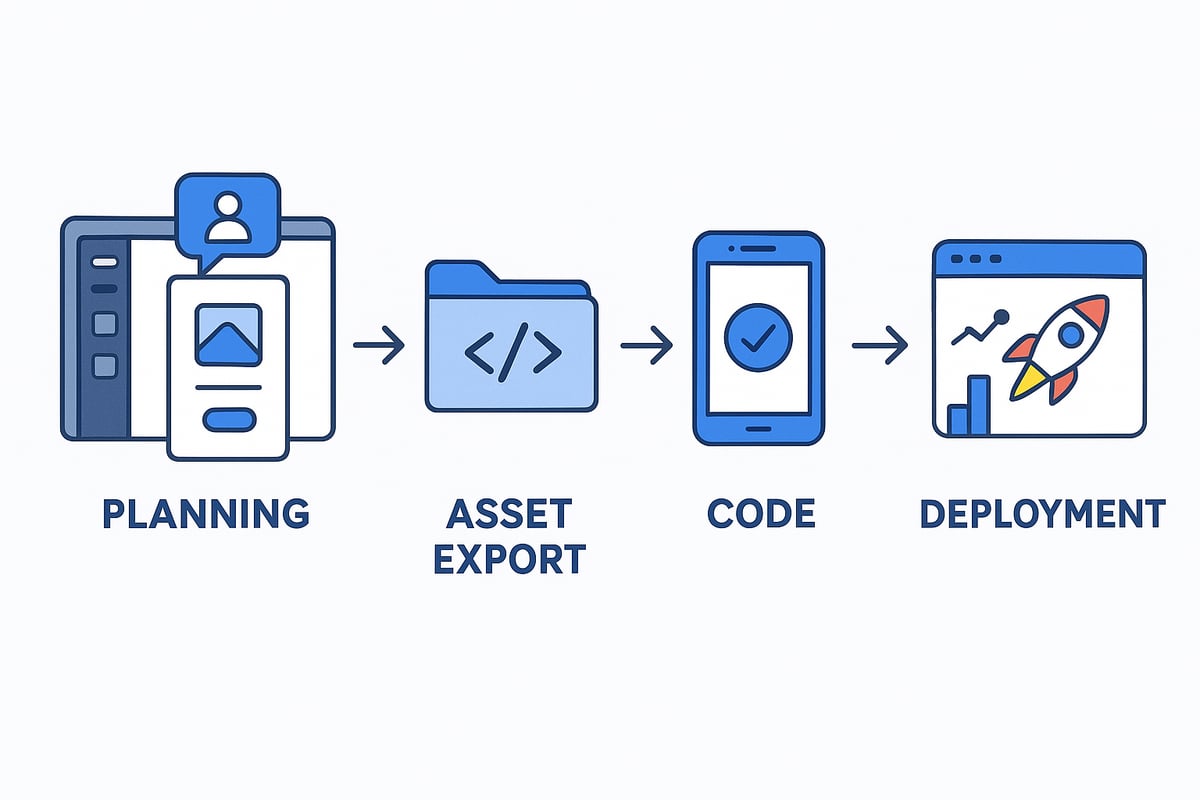
Transforming Figma prototypes into robust applications in 2026 involves a structured, collaborative process. Each stage ensures that your vision translates seamlessly from design to deployment. Here’s a practical guide to mastering figma to app development services, whether you’re a designer, developer, or business owner.
Step 1: Scoping and Planning
Every successful figma to app development services project starts with clear scoping and meticulous planning. Begin by defining your project’s requirements, user stories, and core features directly from your Figma prototypes. Use Figma’s commenting tools to gather feedback and align stakeholders on goals and deliverables.
For instance, a fintech startup might map out user flows in Figma, ensuring everyone understands the journey before any code is written. Integrating Figma with project management tools like Jira helps track tasks, versions, and documentation. Version control and thorough documentation prevent miscommunication and keep your project on course.
Structured planning not only clarifies expectations but also streamlines the entire figma to app development services workflow.
Step 2: Design Handoff and Asset Preparation
The next phase in figma to app development services is a precise design handoff. Prepare and export all necessary assets, such as SVGs, PNGs, and style guides, directly from Figma. Use the Inspect panel for code snippets and to ensure developers have pixel-perfect references.
Organize assets with clear naming conventions and folder structures. This reduces confusion and minimizes rework. For example, an e-commerce app that structured its Figma exports saw faster implementation and fewer errors.
Best practices include grouping icons, standardizing colors, and maintaining a single source of truth for all visual elements. This strategy leads to smoother transitions from design to code in figma to app development services.
Step 3: Choosing the Right Development Approach
Selecting the best approach is crucial for figma to app development services. Decide between native code, cross-platform frameworks, or no-code/low-code solutions. Assess technical feasibility by reviewing your Figma designs and considering scalability, performance needs, and future updates.
For rapid MVP launches, many startups now leverage no-code tools. Using solutions like Bubble, teams can turn Figma prototypes into functional apps in weeks. For a deeper dive into this approach, see No-code MVP development with Bubble.
Key factors include your project’s complexity, available skill sets, and overall budget. Evaluating these early ensures your figma to app development services are efficient and aligned with your business goals.
Step 4: Development and Integration
Now it’s time to turn designs into working applications with figma to app development services. Developers translate Figma components into code using React Native, Flutter, or modern no-code platforms. Automated tools and Figma plugins facilitate design-to-code conversion, reducing manual work.
Integrate APIs, databases, and third-party services to add functionality. Maintaining design fidelity and responsiveness is critical, so establish feedback loops between designers and developers. Regular reviews help catch issues like missing states, inconsistent spacing, or accessibility gaps.
For example, a SaaS company used Figma plugins for automated code generation, speeding up development and improving accuracy. Always focus on collaboration to ensure the final app matches the original Figma vision in figma to app development services.
Step 5: Testing, QA, and Iteration
Testing is vital for high-quality figma to app development services. Set up test cases based on your Figma user flows. Automated UI testing tools that integrate with Figma outputs help validate designs and interactions.
Conduct user acceptance testing, gathering feedback from real users. Use this feedback for iterative improvements, syncing design updates with the codebase. For instance, a healthtech app reduced bugs and improved usability by centering QA around its Figma prototypes.
Continual testing and iteration ensure your app is reliable and meets user expectations throughout the figma to app development services process.
Step 6: Deployment and Post-Launch Optimization
The final step in figma to app development services is deployment and ongoing optimization. Prepare your app for launch on app stores or web platforms. Set up analytics and performance monitoring to track user behavior and system health.
Gather post-launch feedback linked to Figma prototypes, making it easy to identify areas for improvement. Continuously update your designs and push code changes based on analytics. For example, a retail app rapidly iterated new features after launch, using data-driven insights from user interactions.
This ongoing cycle ensures your app remains competitive and aligned with evolving user needs, completing the figma to app development services journey.
Choosing the Best Figma to App Development Service
Selecting the right figma to app development services is a crucial decision that can make or break your project’s success. With so many options available in 2026, understanding how to evaluate providers, compare costs, and avoid common pitfalls is essential.
Evaluation Criteria for Service Providers
When considering figma to app development services, evaluate providers based on their proven experience with Figma workflows and successful app launches. Examine their portfolio—look for projects that started as Figma prototypes and transitioned into robust applications.
Assess the technical stack compatibility, whether you need native, cross-platform, or no-code solutions. Strong communication and clear project management methodologies are key indicators of a reliable partner. Security, scalability, and compliance expertise should also be non-negotiable, especially for enterprise or regulated industries.
Client testimonials and case studies provide valuable insights into a provider’s reliability. For a deeper dive into selecting a partner, check out this guide on choosing an app development agency. Finally, don’t forget to ask about their approach to Figma handoff, design fidelity, and how they bridge the gap between design and final product.
Cost, Timeline, and Value Considerations
Cost is a major factor in figma to app development services, but it’s not the only consideration. Most providers offer pricing models such as fixed project rates, hourly billing, or milestone-based payments. In 2026, typical Figma-to-app projects range from $15k for MVPs to $80k or more for feature-rich enterprise apps.
Timelines vary by complexity. An MVP might take 4 to 8 weeks, while a full-featured app could require 3 to 6 months. Value-added services, like post-launch support, maintenance, or analytics integration, can make a big difference in your project’s long-term success.
To optimize your investment, consider phased development, starting with a core MVP and adding features iteratively. No-code and low-code approaches can further reduce costs and speed up delivery, making them attractive options for many businesses.
Big House Technologies: Scalable No-Code & AI Solutions
Big House Technologies is a leader in figma to app development services, specializing in converting Figma designs into scalable applications using no-code and AI-driven platforms. Their end-to-end services include project scoping, Figma-based UI/UX design, rapid MVP development, AI integration, and quality assurance.
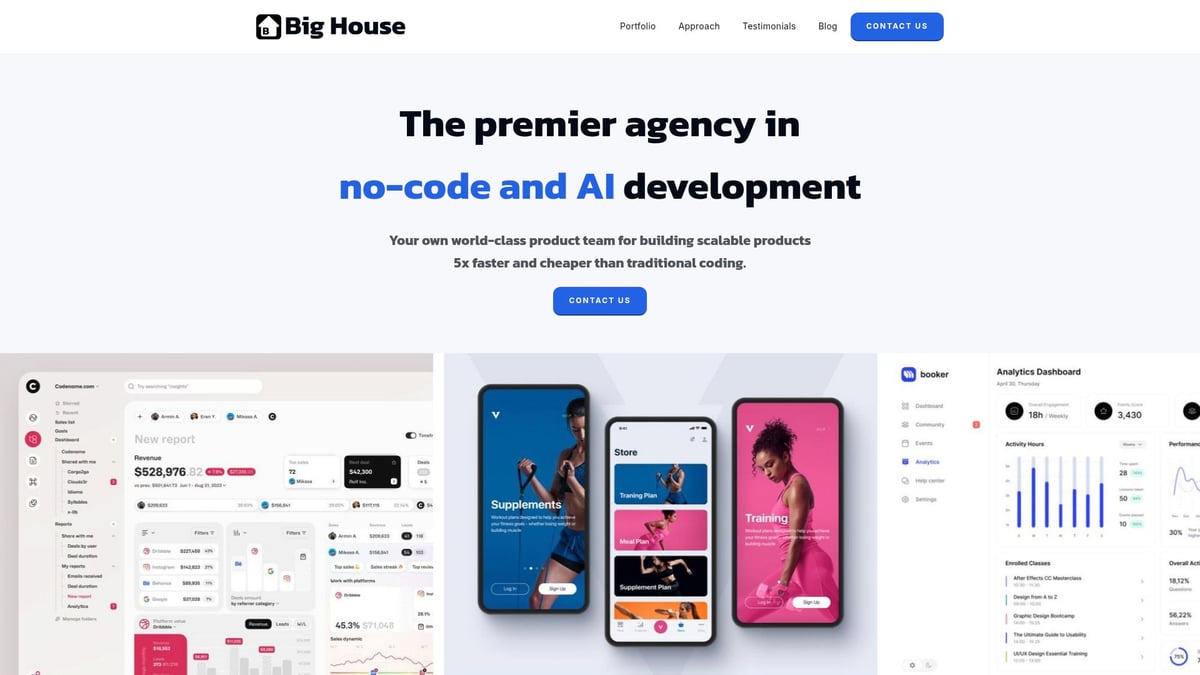
Clients benefit from turnaround times up to five times faster and costs that are three to four times lower compared to traditional coding approaches. Big House Technologies serves startups, enterprises, and entrepreneurs who need quick, reliable Figma-to-app transformations.
A recent case highlighted clients reporting significant cost savings and accelerated product launches. With flexible pricing plans tailored for MVPs and enterprise-grade solutions, Big House Technologies is a go-to choice for those seeking efficient, high-quality figma to app development services.
Red Flags and Common Pitfalls When Outsourcing
Outsourcing figma to app development services can offer huge benefits, but there are risks to watch out for. Red flags include a lack of deep Figma expertise, poor communication, and vague deliverables. If a provider cannot clearly explain their process or showcase relevant projects, proceed with caution.
Hidden costs, misalignment between design and final app, and missed deadlines are common pitfalls. To protect your investment, insist on detailed contracts and transparent workflows. Vet providers with reference checks, technical interviews, or even a small pilot project before full commitment.
For example, companies have lost valuable time and money due to inexperienced service providers who failed to translate Figma prototypes accurately into functional applications. By staying vigilant and proactive, you can avoid these setbacks and ensure a smoother path to launch.
Integrating No-Code, Low-Code, and AI in Figma to App Workflows
The landscape of figma to app development services is transforming rapidly in 2026. No-code and low-code platforms, together with AI, are making app creation faster and more accessible than ever. Businesses, startups, and even solo entrepreneurs can now move from Figma prototypes to fully functional applications with unprecedented speed.
This shift is not just about technology. It is about democratizing development, empowering non-technical founders, and changing the way teams collaborate. Let’s explore how these innovations are reshaping figma to app development services.

The No-Code/Low-Code Revolution in 2026
No-code and low-code platforms have surged in popularity, now powering an estimated 65% of new app development projects according to Gartner. Tools like Bubble, Adalo, and OutSystems enable teams to build apps visually, using drag-and-drop interfaces instead of traditional coding.
Figma’s direct integrations with these platforms are a game changer. Design teams can push prototypes straight into a no-code builder, dramatically reducing manual handoff. This seamless pipeline is a core part of modern figma to app development services.
AI-Powered Automation Transforms Figma to App Workflows
AI is the next big leap in figma to app development services. Automated tools generate production-ready code from Figma designs, test user flows, and even suggest UX optimizations. AI can handle repetitive tasks, catch inconsistencies, and accelerate QA.
Want to dive deeper? Check out this guide on integrating AI in software development for real-world examples and strategies.
These AI-powered enhancements allow teams to move from design to deployment with fewer errors and much greater speed.
Benefits and Drawbacks of Modern Workflows
Why are so many companies embracing these new figma to app development services? Here are the main benefits:
- Speed: Launch MVPs in weeks, not months.
- Cost savings: Reduce development budgets by up to 70%.
- Accessibility: Non-technical founders can actively participate.
- Consistency: Design system enforcement and fewer handoff errors.
However, there are some limitations to consider:
- Customization: Deeply custom features may require code.
- Scalability: Some no-code platforms face performance bottlenecks at scale.
- Feature constraints: Not all integrations or advanced logic are available.
Real-World Example and Best Practices
Imagine a startup launching its MVP in just three weeks by combining Figma, Bubble, and AI automation. This is not a rare story in 2026. Many teams now blend no-code tools with custom code for complex needs, ensuring both rapid iteration and long-term scalability.
For best results with figma to app development services:
- Start with clear user flows in Figma.
- Leverage direct integrations with no-code/AI platforms.
- Test often and iterate quickly.
- Combine no-code with custom code for advanced features.
The future is bright for teams willing to embrace these hybrid, AI-empowered workflows.
Cost, Timeline, and ROI: What to Expect in 2026
Navigating the landscape of figma to app development services in 2026 means understanding the real costs, realistic timelines, and the potential return on investment. Whether you are building your first MVP or planning a full-featured enterprise app, knowing what to expect helps you plan smarter and avoid surprises.
Typical Costs in Figma to App Development Services
Project costs for figma to app development services depend on several factors, including app complexity, platforms (iOS, Android, web), and the team’s expertise. In 2026, budgets are more predictable, but they still vary widely.
| Phase | MVP Cost Estimate | Full App Cost Estimate |
|---|---|---|
| Design | $3k–$10k | $8k–$25k |
| Development | $8k–$25k | $30k–$50k+ |
| Testing/QA | $2k–$5k | $5k–$10k |
| Deployment | $1k–$3k | $2k–$5k |
| Total | $15k–$40k | $45k–$90k+ |
These ranges reflect average industry rates for figma to app development services, but costs can be reduced by leveraging no-code or AI-powered platforms. For a deep dive into platform choices and their cost implications, see this application development platforms overview.
Timeline Expectations: MVP to Full App
How long does it take to turn Figma prototypes into live apps? For most businesses, MVPs are built in 4–8 weeks, while robust, full-featured products typically require 3–6 months.
Several factors influence these timelines:
- App complexity and feature set
- Platform integration (web, mobile, cross-platform)
- Team location and experience
- Iterative feedback and testing cycles
Using figma to app development services that specialize in no-code or AI can accelerate delivery, especially for startups aiming to validate products quickly.
ROI and Value: What Businesses Gain
The ROI of figma to app development services is higher than ever in 2026. Speed to market is critical, and reducing development cycles can mean the difference between leading or lagging behind competitors.
Many companies report up to 70% cost savings by combining Figma with no-code or AI solutions. According to recent reports, Figma’s AI integration has been a major driver of efficiency and value, helping businesses achieve more with less. Learn more about this trend in Figma's AI Integration and Revenue Milestone.
ROI drivers include:
- Faster user acquisition
- Lower upfront and ongoing costs
- Easier iteration based on analytics
- Streamlined workflows from design to deployment
Maximizing Value and Avoiding Hidden Costs
To get the best results from figma to app development services, keep an eye on hidden costs and build for long-term flexibility.
Common hidden costs:
- Ongoing maintenance and updates
- Third-party service integrations
- Scaling infrastructure as user numbers grow
Tips to maximize value:
- Launch iteratively, updating based on user feedback
- Use analytics to guide improvements
- Plan for continuous design and code updates
Smart enterprises achieve faster ROI by shortening development cycles and staying agile. By understanding the full scope of figma to app development services, you can make informed decisions, control your budget, and deliver apps that meet business goals.
The Future of Figma to App Development Services: Trends and Innovations
The landscape of figma to app development services is shifting rapidly as we look toward 2028. Businesses and developers are seeing a surge in new technologies and workflows that are changing not just how apps are built, but who is building them. Staying ahead means understanding these evolving trends, leveraging innovative tools, and preparing for a future where design and development are more intertwined than ever.
Emerging Trends Shaping the Future
AI-driven design-to-code solutions are at the heart of the next wave for figma to app development services. Machine learning models are now capable of transforming complex Figma prototypes into reusable UI components and production-ready code. Research such as CoGen: Reusable UI Components in Figma highlights how automation is accelerating workflows, reducing manual handoff, and minimizing errors.
Real-time collaboration is also evolving, with distributed teams working together seamlessly across time zones. Automated testing, predictive UI suggestions, and rapid prototyping are becoming standard, allowing teams to launch apps faster and with higher quality.
Innovations in Figma’s Feature Set
Figma is rolling out powerful new features that directly impact figma to app development services. Predictive design tools help teams anticipate user needs and optimize flows before a single line of code is written. Accessibility automation ensures that designs are inclusive and compliant from the start, reducing costly rework later.
Vertical-specific plugins are making a big impact, especially in sectors like fintech and healthtech. These plugins enable specialized workflows, streamline regulatory compliance, and offer pre-built components tailored to industry needs. The result is a more efficient and consistent app development process at scale.
Industry Impact and Standardization
As more organizations adopt figma to app development services, industry-wide standardization is accelerating. Figma’s growing market share is evident in recent Figma's Q3 2025 Financial Results, with global brands now standardizing on Figma-driven pipelines.
The impact of technologies like WebAssembly, Progressive Web Apps, and advanced cross-platform frameworks is making Figma-to-app workflows even more accessible. Predictions suggest that by 2028, as much as 80% of all new apps will be built using Figma-centric processes, blurring the lines between design and engineering.
Preparing for the Future
To thrive in this new era of figma to app development services, continuous learning is essential. Teams should invest in upskilling, stay updated on emerging plugins and automation tools, and adopt flexible workflows that embrace both design and code.
Embracing automation does not mean losing the human touch. Instead, it empowers designers to take on product ownership roles and collaborate more closely with developers. By staying agile and open to innovation, organizations can ensure they are ready for whatever the future holds in app development.
You’ve seen how Figma prototypes and modern no code or AI platforms are changing the game for app development in 2026—speeding up launches and making the process smoother for everyone. If you’re ready to take your idea from a sleek Figma design to a real app without waiting months or blowing your budget, why not start now? With the right team and tools, getting your MVP live is easier than ever. Curious just how fast you can move from concept to launch? Launch Your MVP in Weeks, Not Months

About Big House
Big House is committed to 1) developing robust internal tools for enterprises, and 2) crafting minimum viable products (MVPs) that help startups and entrepreneurs bring their visions to life.
If you'd like to explore how we can build technology for you, get in touch. We'd be excited to discuss what you have in mind.
Other Articles
Complete cost breakdown comparing no-code and custom development. Learn upfront costs, maintenance expenses, and total ownership costs in 2026.
Discover the best AI tools for coding in 2026. Learn how AI-powered development platforms boost productivity, streamline workflows, and transform software creation.
Discover the top 9 UI UX and development agencies for 2026 success Compare leading firms strengths pricing and ideal clients to choose the best partner for your goals