

Imagine building dynamic web apps in 2026, all without touching a single line of code. The no-code revolution is here, and bubble sites are at the forefront, making it easier than ever for anyone to create powerful online experiences.
Bubble’s visual platform is transforming how apps are built, putting the tools for scalable, interactive web applications into your hands regardless of your technical background. Why settle for lengthy and expensive development cycles when you can launch custom apps faster and more affordably?
In this guide, you’ll discover how Bubble empowers creators. Explore its core features, learn step-by-step app creation, unlock advanced integrations, and get expert tips to future-proof your web projects. Ready to master Bubble? Let’s dive in.
Understanding Bubble: The No-Code Platform Revolution
Imagine launching interactive bubble sites without coding experience. Bubble is a visual web app builder that lets you create powerful apps by dragging and dropping elements. Unlike traditional coding platforms, you do not need to write JavaScript, HTML, or CSS. Bubble sites are perfect for MVPs, SaaS products, marketplaces, and internal business tools. The global Bubble community is growing rapidly, with thousands of startups and creators joining every year. For example, a recent startup built a full-featured SaaS platform on Bubble in just a few weeks, accelerating their time to market.

What is Bubble?
Bubble sites are transforming how web apps are built. Bubble acts as a visual builder, enabling users to assemble interfaces and workflows visually. Unlike classic development, you do not need to manage complex syntax or server setup. Bubble sites support a wide range of use cases, from launching a minimum viable product to creating entire SaaS businesses or managing internal tools. The Bubble community is thriving, with forums and meetups worldwide. For instance, one startup was able to bring a SaaS product to market in weeks, thanks to Bubble’s streamlined approach.
Why No-Code is Dominating in 2026
The rise of bubble sites reflects a major shift in digital transformation. No-code tools like Bubble are democratizing app creation, letting anyone turn ideas into reality. By 2026, projections show that 70% of new business apps are built with no-code or low-code platforms. This shift results in significant cost and time savings over traditional development. Non-technical founders and teams can now launch products without hiring large engineering teams. For more insights on how Bubble is leading the no-code movement, explore this Bubble for no-code development resource. Bubble sites are empowering a new generation of creators.
Core Features and Capabilities of Bubble
Bubble sites provide a rich set of tools for building dynamic web apps. The drag-and-drop editor lets you design custom interfaces quickly. Built-in database management and workflow automation streamline app logic. Responsive design features ensure your app looks great on any device. User authentication, security, and privacy controls are included by default. Bubble sites offer real-time updates and can scale to handle thousands of users. For example, you can automate order confirmations and manage user profiles with just a few clicks.
Bubble vs. Other No-Code Platforms
How do bubble sites stack up against other no-code tools? Let’s compare:
| Platform | Logic Complexity | Database Management | Plugin Ecosystem | Best For |
|---|---|---|---|---|
| Bubble | Advanced | Robust | Extensive (marketplace) | SaaS, marketplaces |
| Webflow | Moderate | Basic | Integrations | Websites, e-commerce |
| Adalo | Basic | Simple | Limited | Mobile apps |
| OutSystems | Advanced | Enterprise-grade | Enterprise | Large businesses |
Bubble sites excel in handling complex logic and data relationships. The plugin marketplace adds flexibility, offering integrations not found in platforms like Webflow. However, if you need native mobile apps or enterprise-specific tools, alternatives like Adalo or OutSystems may be better suited. The choice depends on your project’s needs, but for most dynamic web apps, bubble sites lead the way.
Step-by-Step: Building a Dynamic Web App with Bubble in 2026
Ready to launch your next big idea? With bubble sites, you can create robust, scalable web apps without writing a single line of code. Let’s walk through each step, from planning to launch, so you can turn your vision into a fully functional product.

Planning Your Bubble App: Scoping & Design
Before you dive into bubble sites, start by clarifying your app’s purpose. Define your main goals, target users, and essential features. Create user personas to understand who will use your app and what problems it will solve.
Map out user flows to visualize how people will interact with your app. Sketch wireframes or use digital tools to plan layouts. Bubble’s Figma integration streamlines the design handoff, making collaboration between designers and builders seamless.
For example, if you’re designing a marketplace, outline steps for browsing products, messaging sellers, and processing payments. Careful planning now sets a strong foundation for your bubble sites project.
Setting Up Your Bubble Project
To build bubble sites efficiently, start by creating a new project in Bubble. You can select a blank canvas or choose from a variety of templates tailored for different use cases.
Once inside the Bubble editor, familiarize yourself with its intuitive interface. Key areas include the design tab, workflow tools, and database setup. Adjust your app’s branding, favicon, and SEO settings early on for a professional look.
Optimize basic settings for performance. Compress image assets, enable privacy rules, and select the right plan for your needs. Good setup practices ensure your bubble sites run smoothly from day one.
Designing Interfaces with Bubble’s Visual Editor
Bubble sites thrive on engaging, intuitive interfaces. Use the drag-and-drop editor to add UI components like forms, buttons, and repeating groups for dynamic lists.
Design responsive layouts that adapt gracefully to desktop and mobile screens. Bubble’s responsive engine lets you preview and tweak breakpoints for a seamless user experience.
Choose from built-in themes or customize your app with CSS and Google Fonts. For example, build a modern user dashboard by combining data-driven widgets, navigation menus, and personalized greetings. With bubble sites, you control every detail of your interface.
Creating Dynamic Workflows & Logic
The magic of bubble sites lies in automating complex logic. Use Bubble’s workflow editor to define how your app responds to user actions—like submitting forms, updating data, or sending emails.
Set conditions and triggers for each workflow step. For instance, you might automate order confirmations when a purchase is complete. Custom events let you reuse logic across different pages.
Here’s a simple workflow code snippet:
When Button is clicked → Create new Order → Send confirmation email → Redirect to Thank You page
Bubble sites make it easy to build powerful, interactive logic without code.
Building and Managing Your Database
At the heart of bubble sites is a robust, flexible database. Define custom data types (like User, Product, or Transaction) and specify fields for each.
Link data objects to create relationships, such as connecting users to their orders. Bubble’s privacy rules keep sensitive data secure, letting you control who can view or modify records.
For example, a marketplace might use these data types:
- User: name, email, avatar
- Listing: title, price, description, owner
- Transaction: buyer, seller, amount, status
With bubble sites, your app’s data is organized and protected.
Testing, Debugging, and Version Control
Testing is crucial for high-quality bubble sites. Use Bubble’s built-in debugger to step through workflows and spot issues quickly. The issue checker highlights errors or missing configurations in real time.
Preview changes instantly in the editor before deploying. Bubble’s version control system lets you track edits, revert to previous versions, and safely roll out updates.
Set up a beta testing phase to gather feedback from real users. Iterating based on feedback ensures your bubble sites are reliable and user-friendly.
Launching and Maintaining Your App
Once your bubble sites app is ready, it’s time to go live. Publish to a custom domain for a professional presence. Need help? Follow this How to add a custom domain to a Bubble app guide for step-by-step instructions.
Maintain your app by scheduling regular backups and monitoring performance analytics. Update features and fix bugs as your user base grows.
Track usage patterns to inform future enhancements. With bubble sites, you can effortlessly scale from MVP to a full-featured product, ensuring your app stays fresh and competitive.
Advanced Bubble Features and Integrations
Building powerful bubble sites goes beyond the basics. Advanced features and integrations unlock new possibilities, allowing creators to deliver richer, more interactive web experiences. In this section, we explore how to take your bubble sites to the next level with plugins, custom code, mobile optimization, security, and performance tuning.

Extending Functionality with Plugins and APIs
One of the standout features of bubble sites is the vast plugin marketplace. Users can add payment processing, chat, maps, and analytics with a few clicks. Integrating third-party APIs is straightforward, making it easy to connect bubble sites to services like Stripe, Google Maps, or Slack.
For instance, adding Stripe payments is as simple as installing a plugin and configuring your API keys. The plugin ecosystem is constantly growing, and you can explore even more possibilities in the Top 10 Features of Bubble.io That Empower Your Web App. With plugins and APIs, bubble sites become as flexible as custom-coded solutions.
Custom Code and JavaScript in Bubble
While bubble sites are built for no-code development, there are times when custom code is necessary. Bubble offers HTML and JavaScript elements, as well as an API Connector, letting you inject custom scripts, embed widgets, or handle edge cases.
Developers can use these tools to implement unique features or integrate with legacy systems. However, it’s important to keep custom code maintainable, as it can impact the visual editor’s ease of use. For most bubble sites, combining visual workflows with targeted code snippets strikes the right balance between power and simplicity.
Responsive and Mobile Optimization
Modern bubble sites must look great on every device. Bubble’s responsive engine provides breakpoints and layout tools to ensure your app adapts smoothly to phones, tablets, and desktops. You can set visibility rules, rearrange components, and preview your site on various screen sizes.
Tips for bubble sites include using flexible containers, optimizing images, and testing navigation menus on small screens. Responsive design is not just about appearance, but also about delivering a seamless user experience everywhere your audience goes.
Security, Authentication, and Compliance
Security is a top priority for bubble sites, especially with user data and transactions. Bubble provides built-in authentication with options for email, social logins, and SSO. You can define user roles and permissions to control access to sensitive features.
Compliance with regulations like GDPR and CCPA is simplified with data privacy tools and encryption options. Bubble sites can also enable two-factor authentication for extra protection. Following best practices ensures your app is safe, trusted, and ready for business.
Performance Tuning and Scalability
As your bubble sites attract more users, performance becomes critical. Optimizing database queries, streamlining workflows, and minimizing resource-intensive operations help keep your app fast. Bubble offers server scaling and capacity upgrades to handle traffic spikes.
Monitoring analytics and conducting regular performance tests will highlight bottlenecks before they impact users. With the right strategies, bubble sites can scale from a small MVP to a platform serving thousands of users without missing a beat.
Big House Technologies: Expert No-Code Solutions for Bubble Apps
Looking to launch high-performing bubble sites quickly and affordably? Big House Technologies is a leading no-code and AI agency, trusted by startups and enterprises for rapid, end-to-end Bubble app development. Their team excels at turning ideas into scalable products, guiding you from scoping and design to testing and launch.
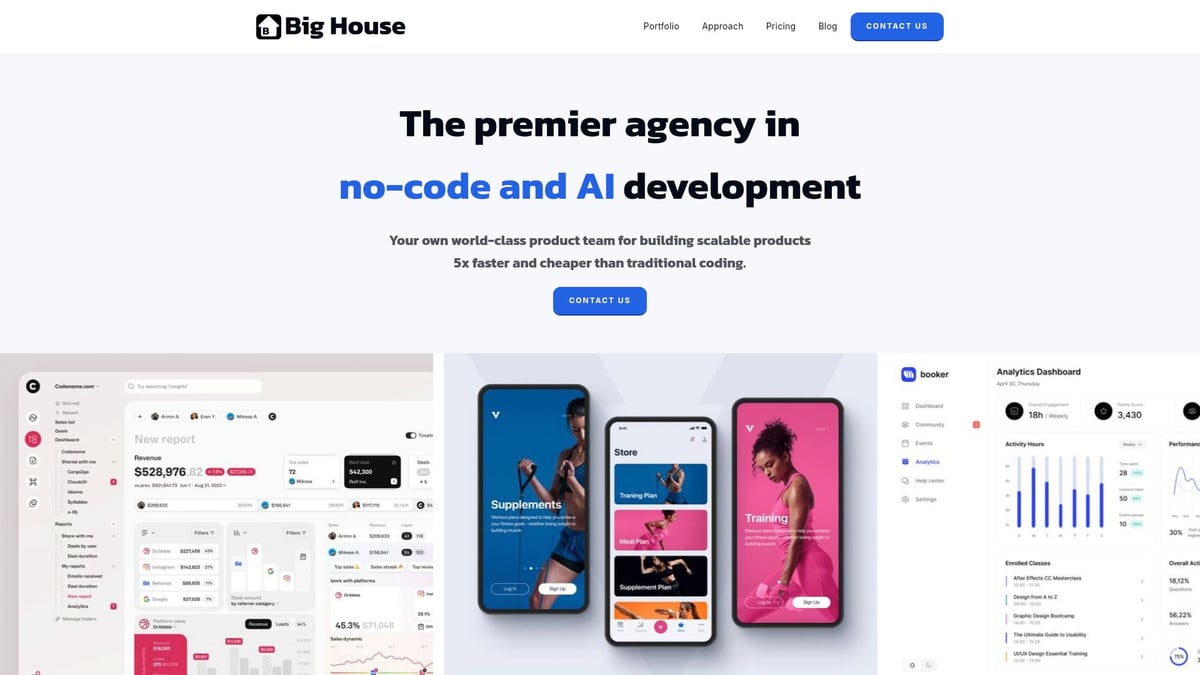
Curious about their proven approach? Check out their Bubble app development guide for step-by-step insights into building bubble sites efficiently.
Why choose Big House Technologies?
- Products delivered up to 5x faster, 3-4x more cost-effectively
- Custom solutions for MVPs and complex enterprise systems
- Robust quality assurance and a client-focused process
- Flexible pricing to fit projects of any size
Experience a seamless journey from concept to launch with experts who understand bubble sites inside and out.
The Future of Bubble and No-Code App Development in 2026
The future of bubble sites is unfolding rapidly, with new technologies and business models shaping how web apps are built and scaled. As we look ahead, several key trends and innovations are set to redefine what’s possible for creators, businesses, and enterprises using no-code platforms. Let’s break down what is on the horizon for bubble sites and the broader no-code movement.
Emerging Trends in No-Code and Bubble
In 2026, bubble sites are benefiting from a wave of innovation in no-code technology. AI-powered builders now help users automate logic and generate app features by describing them in plain language. Enterprises are empowering citizen developers, letting employees build internal tools with little or no technical background.
Integration with IoT devices, blockchain, and advanced APIs is becoming standard for bubble sites. For example, AI-driven workflow automation in Bubble now allows businesses to streamline processes that once needed complex custom code. Notably, 84% of Tech Leaders Say AI Won't Replace Low-Code and No-Code Tools, highlighting the enduring value of no-code platforms.
Bubble’s Roadmap and Upcoming Features
Bubble’s roadmap for bubble sites is heavily influenced by community feedback and evolving tech needs. The platform is expected to launch improvements in speed, security, and integration with cutting-edge services. Enhanced scalability and real-time collaboration tools are on the horizon, giving teams more power to build together.
Community-driven feature requests continue to shape the plugin marketplace, which is expanding to include AI and machine learning components. Bubble sites will soon offer even more seamless integration with external APIs, making it easier to connect with the tools businesses already use.
No-Code for Enterprises and Large-Scale Projects
Bubble sites are no longer just for startups or tech enthusiasts. Large organizations, including Fortune 500 companies, are now adopting no-code for rapid prototyping and internal applications. This shift is driven by the need to reduce development cycles and empower business teams to solve problems independently.
Security, scalability, and compliance are top priorities for these organizations. Real-world case studies show that enterprise-grade internal tools built on bubble sites can meet strict requirements, from user permissions to data protection. Overcoming skepticism has become easier as success stories multiply.
Overcoming Limitations: When to Use or Avoid Bubble
While bubble sites are versatile, they are not the best fit for every project. High-performance gaming, complex native mobile apps, or situations demanding ultra-fast real-time interactions may require custom code or hybrid solutions.
Many teams use bubble sites for MVPs and then migrate to custom stacks as their needs evolve. Strategies like combining no-code with custom code through APIs help bridge gaps. Understanding these limitations ensures you choose bubble sites for the right use cases and plan for growth from the start.
Predictions: The Next 5 Years of No-Code
Looking ahead, projections suggest that no-code and low-code platforms like bubble sites will power up to 80% of new app development by 2030. The roles of developers and designers will evolve, focusing more on architecture, automation, and user experience.
Startups and SMBs will benefit most, as the barriers to launching digital products keep dropping. For a deeper dive into adoption rates and market growth, check out Low-Code & No-Code Development Platforms: Market Share & Size. The digital transformation wave will only accelerate, cementing bubble sites as a key driver of innovation.
Pro Tips and Best Practices for Bubble Success
Building successful bubble sites takes more than just using the visual editor. To create apps that users love and that scale with your ambitions, you’ll need a toolkit of pro strategies. Let’s break down actionable best practices to help your bubble sites stand out in 2026.
Designing for Usability and Accessibility
Usability is the heart of every great app. For bubble sites, focus on clear navigation, readable fonts, and intuitive interactions. Use Bubble’s built-in accessibility tools to ensure your app meets WCAG guidelines. Add alt text to all images and use proper heading structures for screen readers.
When designing onboarding flows, keep steps simple and feedback immediate. Test your designs with real users early. Accessible bubble sites not only reach more people but also create loyal users who value inclusive experiences.
Optimizing App Performance
Fast bubble sites drive better engagement. Structure your database efficiently by separating large data sets and minimizing unnecessary fields. Keep workflows simple and use custom states for temporary data to reduce server calls.
Regularly test load times and optimize images for the web. Use Bubble’s performance monitoring tools to catch bottlenecks. Well-optimized bubble sites consistently outperform slower competitors in user retention and satisfaction.
Leveraging the Bubble Community and Resources
The Bubble community is a goldmine for anyone building bubble sites. Explore the official forums for troubleshooting advice and tips from experienced users. Dive into Bubble’s documentation for detailed guides, and don’t miss out on video tutorials for visual learning.
You can also find third-party learning platforms and consult with Bubble experts for personalized support. Solving challenges with community input makes developing bubble sites more efficient and enjoyable.
Common Mistakes and How to Avoid Them
Even seasoned creators stumble on bubble sites. A common pitfall is overcomplicating workflows. Keep your logic easy to follow and document every step within Bubble’s editor.
Neglecting responsive design from the beginning can lead to clunky mobile experiences. Always test layouts on multiple devices. Don’t overlook security—set clear data privacy rules and restrict sensitive information. Learning from these mistakes keeps your bubble sites robust and user-friendly.
Scaling Your Bubble App: From MVP to Full Product
Planning for growth is essential for bubble sites. Start with a lean MVP, but architect your database for future expansion. As users increase, upgrade your Bubble plan to access higher server capacity.
Monitor analytics to spot usage trends and bottlenecks. Use version control to test new features safely. For example, some startups have scaled their bubble sites from 100 to 10,000 users by following these steps and iterating quickly.
Monetizing Your Bubble App
Turning bubble sites into revenue streams requires smart planning. Integrate payment gateways like Stripe for one-time or subscription payments. Consider freemium models or SaaS pricing if your app targets businesses.
For marketplace bubble sites, set up transaction fees and automate payouts. Always review legal and tax requirements before launching paid features. With the right strategy, bubble sites can become sustainable businesses.
Staying Ahead: Continuous Learning and Innovation
No-code platforms evolve rapidly, so stay updated on new Bubble features and plugins. Experiment with AI tools and automation to keep your bubble sites cutting-edge. Regularly gather user feedback and iterate on your app’s design.
For those interested in the latest advancements, research like NoCode-bench: A Benchmark for Evaluating Natural Language-Driven Feature Addition offers insights into how no-code platforms are pushing boundaries. Embrace a mindset of lifelong learning and your bubble sites will remain relevant and competitive.
You’ve seen how Bubble is changing the game for building dynamic web apps faster and more affordably—even if you’re not a coder. If you’re ready to turn your idea into a real product in 2026, you don’t have to wait months or struggle with technical hurdles. We’ve helped founders and teams like you go from concept to MVP in record time by combining expert guidance with cutting edge no code and AI solutions. If you want to see how quickly you can launch your own app, check out our guide: Launch Your MVP in Weeks, Not Months.

About Big House
Big House is committed to 1) developing robust internal tools for enterprises, and 2) crafting minimum viable products (MVPs) that help startups and entrepreneurs bring their visions to life.
If you'd like to explore how we can build technology for you, get in touch. We'd be excited to discuss what you have in mind.
Other Articles
Discover startup product development without engineers using no code and AI tools in 2026 Learn expert steps real examples and strategies for fast scalable growth
Unlock 2026 success with our enterprise automation consulting guide covering trends, best practices, case studies, and actionable strategies for measurable ROI.
Learn how enterprises build powerful apps without coding. Explore no-code platforms, benefits, and strategies for scalable business solutions.