
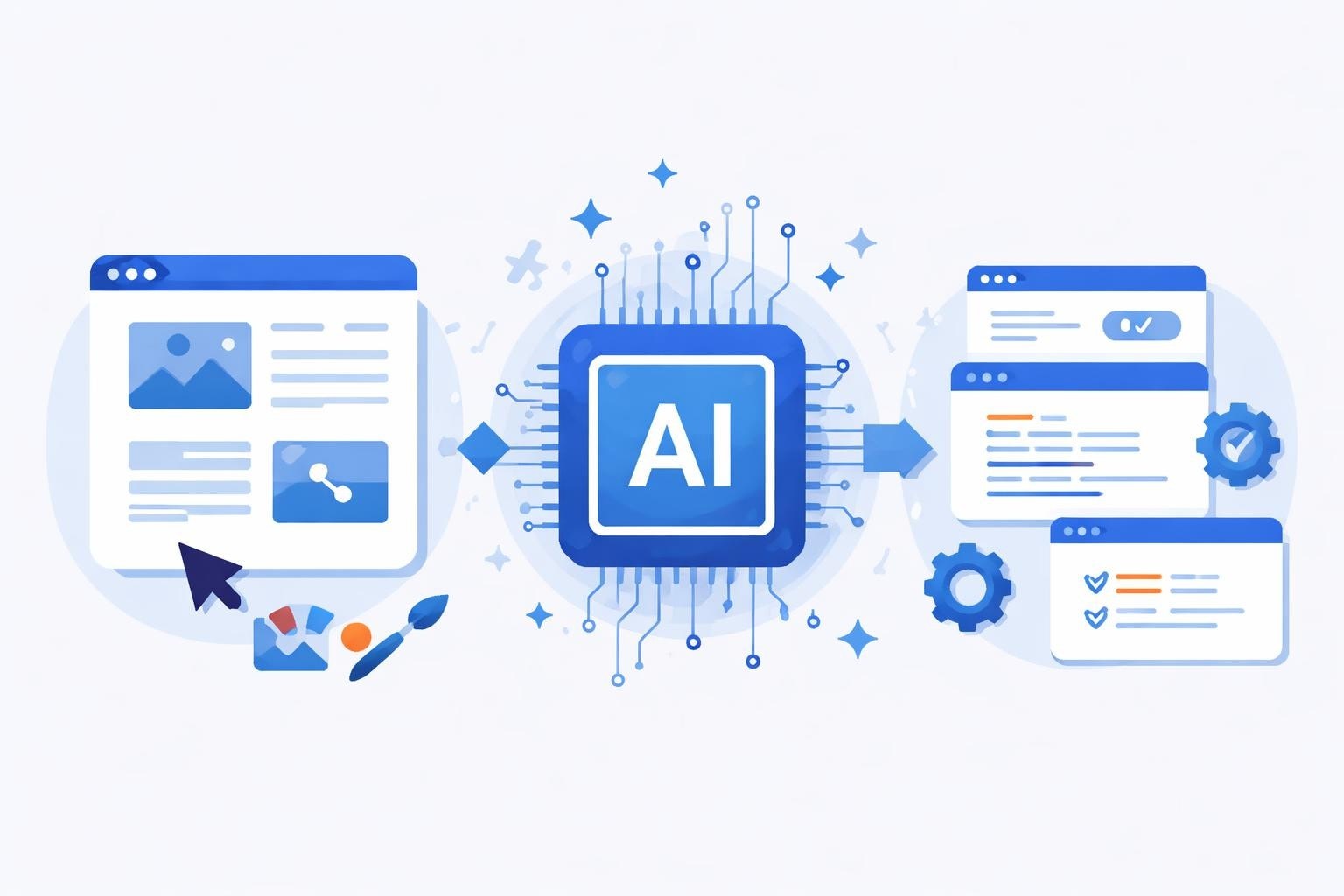
The landscape of software development has shifted dramatically as artificial intelligence reshapes how designers and developers collaborate. Modern ai-based design-to-code tools now bridge the gap between visual design and functional applications, reducing friction in the handoff process while accelerating time-to-market. For enterprises and startups alike, these tools represent more than automation, they offer strategic advantages in speed, consistency, and resource allocation. As we navigate 2026, understanding which platforms deliver genuine value versus marketing hype has become essential for teams building scalable solutions.
The Evolution of Design-to-Code Automation
Traditional design-to-code workflows required meticulous manual translation of design specifications into functional code. Designers created mockups in tools like Figma or Adobe XD, then developers painstakingly recreated each element, spacing, and interaction in HTML, CSS, and JavaScript. This handoff process introduced delays, miscommunication, and inevitable discrepancies between design intent and final implementation.
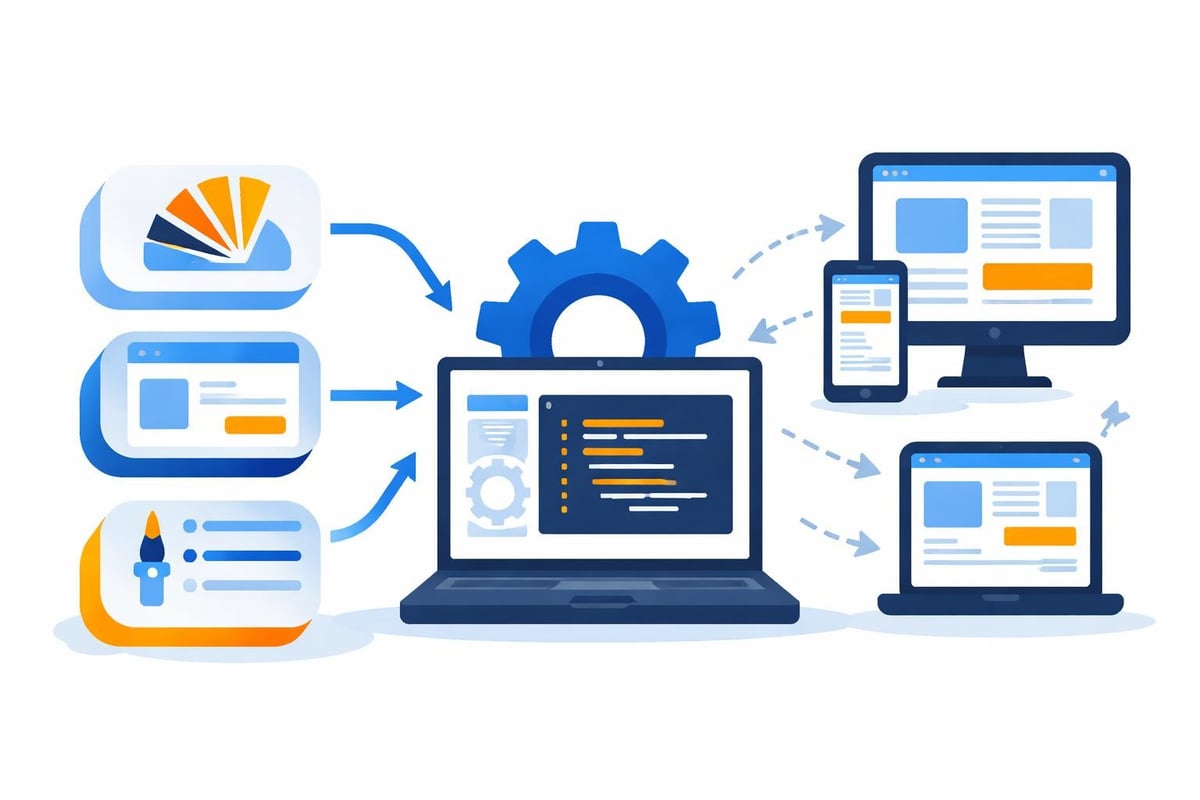
Modern ai-based design-to-code tools eliminate these bottlenecks through several key innovations:
- Automated component recognition and extraction from design files
- Intelligent semantic HTML generation based on design structure
- Responsive CSS creation that adapts across screen sizes
- Framework-specific code output (React, Vue, Angular, etc.)
- Real-time preview and iteration capabilities
The shift toward AI-powered solutions accelerated significantly in 2025 and 2026. Google's Stitch platform now converts voice descriptions into interactive app interfaces, while established players like Wix Studio incorporate AI features that streamline the entire design-to-development pipeline. These advancements parallel broader trends in AI-assisted app builder platforms that empower non-technical users to create sophisticated applications.
Understanding Code Quality and Developer Experience
Not all generated code meets production standards. The most critical evaluation criterion for any design-to-code tool is the quality and maintainability of its output. Clean, semantic code reduces technical debt and simplifies future modifications, while poorly structured code creates maintenance nightmares regardless of how quickly it was generated.
Key code quality indicators include:
- Semantic HTML structure with proper accessibility attributes
- Modular CSS with consistent naming conventions
- Component-based architecture for reusability
- Performance optimization through efficient selectors
- Cross-browser compatibility without excessive polyfills
According to AIMultiple's comprehensive analysis, the best design-to-code tools balance automation speed with code craftsmanship. They generate output that experienced developers would actually use in production environments, not just prototyping scenarios.
Developer experience extends beyond code quality. Teams need tools that integrate seamlessly with existing workflows, support version control systems like Git, and provide customization options for specific framework requirements. The most successful implementations treat AI-generated code as a starting point that developers can refine rather than a black box that produces untouchable output.
Comparing Leading Platform Capabilities
The market for ai-based design-to-code tools has matured considerably, with distinct categories serving different use cases and team structures. Understanding these differences helps organizations select platforms aligned with their technical requirements and business objectives.
| Platform Type | Primary Use Case | Code Control | Learning Curve | Best For |
|---|---|---|---|---|
| Visual Builders | No-code websites | Limited | Low | Marketing sites, landing pages |
| Component Generators | UI component libraries | Full access | Medium | Design systems, component libraries |
| Full-Stack Platforms | Complete applications | Partial | Medium-High | MVP development, internal tools |
| AI Coding Assistants | Code augmentation | Complete | Low-Medium | Existing development teams |
Visual Website Builders
Platforms like Wix Studio represent the consumer-friendly end of the spectrum. These tools excel at creating marketing websites and simple web applications through intuitive visual interfaces powered by AI. They handle responsive design automatically and generate hosting-optimized code behind the scenes.
The tradeoff comes in flexibility and customization. While perfect for straightforward projects, these platforms struggle with complex business logic or custom integrations. For organizations building scalable enterprise applications, visual builders serve best as prototyping tools or for specific use cases like landing page creation.
Component-Focused Solutions
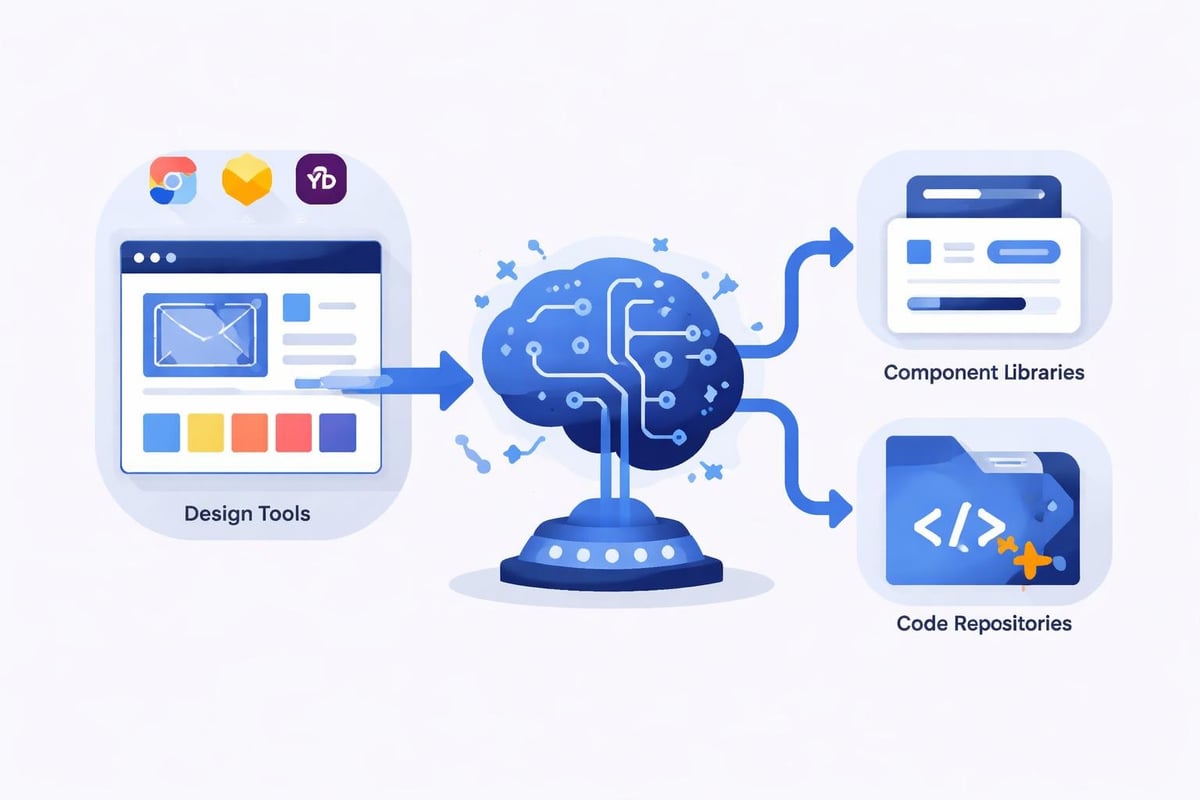
A growing category of ai-based design-to-code tools focuses specifically on generating reusable UI components from design files. These platforms integrate directly with design tools like Figma, analyzing design systems to produce consistent, framework-specific component code.
Benefits of component-focused approaches:
- Maintains design system consistency across products
- Enables designers to contribute directly to component libraries
- Reduces redundant development work on common UI patterns
- Facilitates better collaboration between design and engineering teams
UXPin's analysis of design-to-code tools highlights how these solutions improve team productivity by establishing single sources of truth for shared components. When designers update a button style in the design system, the corresponding code component updates automatically.
AI Coding Assistants and Augmentation Tools
Beyond tools that directly convert designs to code, AI coding assistants represent another evolution in the development workflow. These platforms use large language models to help developers write, refactor, and optimize code based on natural language descriptions or existing code patterns.
Google's Jules AI coding agent exemplifies this approach. Available to both developers and non-developers, Jules assists with writing code, identifying bugs, and suggesting improvements based on best practices. Similarly, Anthropic's Claude Code has gained traction for democratizing coding capabilities beyond traditional developer roles.
These assistants complement design-to-code tools by helping teams customize and extend generated code. A designer might use a design-to-code platform to create initial components, then work with an AI coding assistant to add custom interactions or business logic without deep programming expertise.
Integration with No-Code Platforms
The intersection of ai-based design-to-code tools and no-code platforms creates powerful synergies. No-code platforms for enterprise workflows increasingly incorporate AI-driven design capabilities, allowing business users to create sophisticated applications through natural language descriptions and visual interfaces.
This convergence particularly benefits startups and enterprises seeking rapid development cycles. By combining AI-generated front-end code with no-code backend logic, teams can deliver production-ready applications in weeks rather than months. The approach reduces dependency on specialized development resources while maintaining code quality and scalability.
Evaluating Tools for Enterprise Adoption
Enterprise organizations require different criteria when evaluating ai-based design-to-code tools compared to individual developers or small teams. Security, compliance, scalability, and integration capabilities take precedence alongside basic functionality.
Enterprise evaluation checklist:
- Security and Compliance: SOC 2 certification, GDPR compliance, data residency options
- Integration Capabilities: API access, webhook support, SSO authentication
- Scalability: Performance under high usage, multi-tenant architecture support
- Support and SLA: Enterprise support tiers, guaranteed uptime, dedicated account management
- Customization: White-labeling options, custom deployment environments
- Training and Onboarding: Documentation quality, training programs, change management resources
PinkLime's exploration of AI design-to-code evolution through 2026 emphasizes how enterprise requirements have shaped platform development. Leading vendors now offer enterprise-grade features like audit logging, role-based access control, and compliance certifications that weren't standard even two years ago.
Organizations should also consider the total cost of ownership beyond licensing fees. Implementation time, training requirements, and ongoing maintenance all impact ROI calculations. Sometimes a more expensive platform with superior documentation and support delivers better value than a cheaper alternative requiring extensive internal expertise.
Design-to-Code Handoff Best Practices
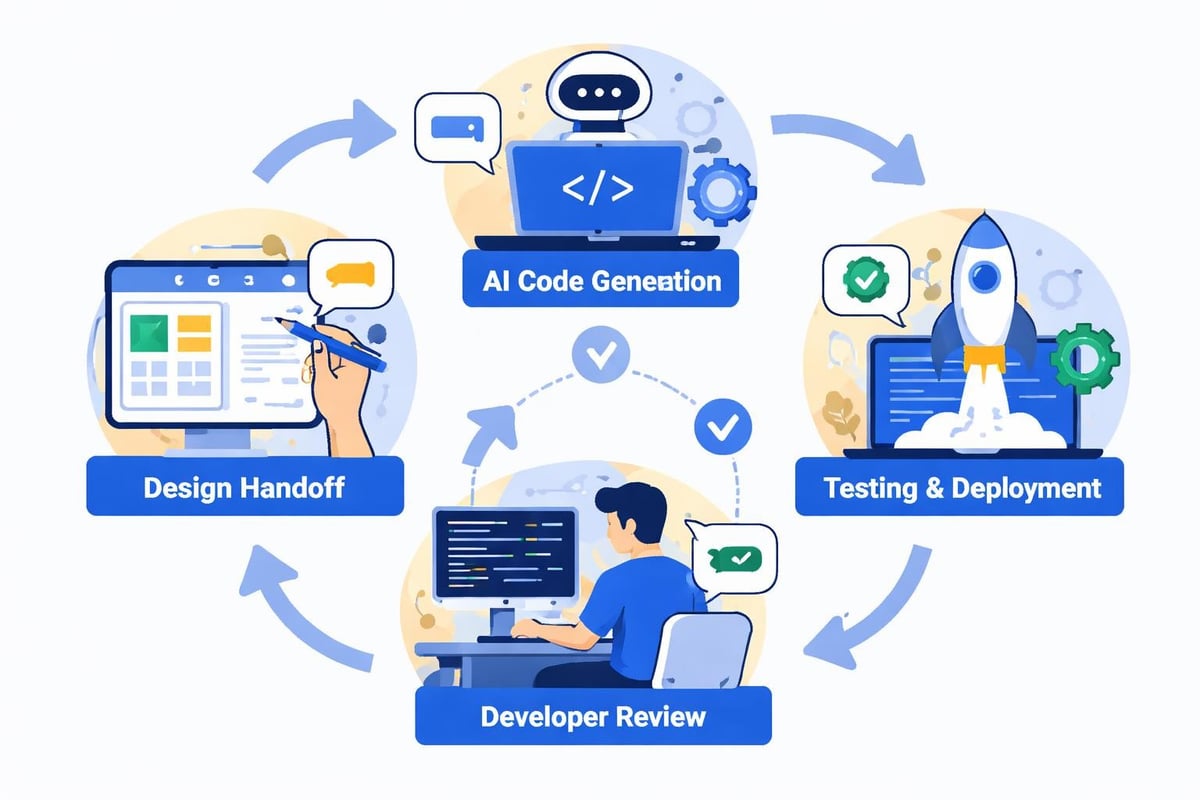
Even with advanced ai-based design-to-code tools, successful implementation requires thoughtful process design and team alignment. PixInvent's review of handoff tools identifies several practices that separate smooth implementations from chaotic ones.
Establish clear design system conventions before implementing any automation. AI tools work best when design files follow consistent patterns and naming conventions. Define spacing scales, color palettes, typography hierarchies, and component structures upfront.
Create feedback loops between designers and developers. Generated code should undergo review by experienced developers who can identify opportunities for optimization or potential issues. This review process improves over time as teams learn how to structure designs for optimal code generation.
Maintain documentation on customizations and overrides. When developers modify AI-generated code, documenting these changes prevents confusion during updates. Version control becomes especially critical, allowing teams to track when manual changes were made and why.
Cost-Benefit Analysis for Development Teams
Financial considerations extend beyond tool subscription costs. Organizations must weigh time savings, quality improvements, and team productivity gains against licensing fees and implementation overhead.
| Cost Factor | Traditional Workflow | AI-Assisted Workflow | Savings Potential |
|---|---|---|---|
| Initial Development | 100-120 hours | 40-60 hours | 50-60% |
| Design Revisions | 20-30 hours | 5-10 hours | 65-75% |
| Cross-Browser Testing | 15-20 hours | 8-12 hours | 40-45% |
| Documentation | 10-15 hours | 3-5 hours | 65-70% |
| Maintenance (annual) | 80-100 hours | 30-50 hours | 55-65% |
These estimates vary significantly based on project complexity and team experience. Simple marketing websites see higher automation percentages, while complex enterprise applications require more developer intervention. However, even conservative estimates suggest 40-50% time savings on front-end development tasks.
The opportunity cost of faster development cycles often exceeds direct time savings. Getting products to market weeks earlier can mean capturing opportunities competitors miss or validating business hypotheses before investing in full development. For startups operating on limited runways, this speed advantage can prove decisive.
Low-cost MVP development tools become even more accessible when combined with AI-based design-to-code capabilities. Teams can prototype ideas rapidly, gather user feedback, and iterate toward product-market fit without exhausting development budgets on initial builds.
Future Trends and Emerging Capabilities
The trajectory of ai-based design-to-code tools points toward increasingly sophisticated capabilities. Current limitations around complex interactions, custom animations, and application logic will diminish as models improve and training datasets expand.
Emerging trends to watch:
- Multimodal input processing: Tools accepting voice, sketches, wireframes, and reference images simultaneously
- Contextual code generation: AI understanding business requirements to suggest appropriate architectural patterns
- Automatic accessibility compliance: Generated code meeting WCAG standards without manual intervention
- Performance optimization: AI identifying and implementing performance best practices during code generation
- Cross-platform consistency: Single designs generating optimized code for web, iOS, and Android simultaneously
The integration of design-to-code capabilities into broader development platforms represents another significant trend. Rather than standalone tools, AI assistance becomes embedded throughout the entire software development lifecycle, from initial concept to deployment and monitoring.
Teams at the forefront of adoption report that AI tools for bubble developers and similar no-code platforms increasingly incorporate design-to-code features natively. This vertical integration reduces context switching and creates more cohesive development experiences.
Implementation Strategies for Different Team Sizes
Successful adoption of ai-based design-to-code tools requires strategies matched to organizational size and structure. Solo developers, small teams, and enterprise organizations each face distinct challenges and opportunities.
Solo Developers and Freelancers
Individual practitioners benefit most from tools emphasizing speed and breadth over deep customization. The ability to deliver complete projects faster allows taking on more clients or charging premium rates for rapid turnaround.
Key selection criteria:
- Minimal learning curve with intuitive interfaces
- All-in-one platforms reducing tool switching
- Generous free tiers or affordable monthly subscriptions
- Active community support and learning resources
- Export flexibility to avoid platform lock-in
Solo developers should prioritize tools that extend their capabilities into adjacent areas like back-end development or deployment automation. Comprehensive platforms reduce the need to master multiple specialized tools.
Small Teams (5-15 People)
Teams at this scale need collaboration features while maintaining agility. The right tools facilitate designer-developer collaboration without introducing excessive process overhead that slows decision-making.
Focus areas include:
- Real-time collaboration on design files and generated code
- Version control integration for tracking changes
- Component libraries shared across projects
- Clear role definitions with appropriate access controls
- Reasonable pricing scaling as teams grow
Enterprise team collaboration tools often prove overpowered for small teams, introducing complexity that hampers productivity. Finding the sweet spot between individual tools and enterprise platforms requires careful evaluation.
Enterprise Organizations (50+ People)
Large organizations face different challenges: standardization across teams, governance requirements, security considerations, and integration with existing technology stacks. Enterprise-grade ai-based design-to-code tools must address these concerns while remaining accessible to users with varying technical backgrounds.
Implementation often follows a phased approach: pilot programs with selected teams, refinement based on feedback, gradual rollout to additional groups, and finally organization-wide adoption with established best practices and support infrastructure.
Change management becomes critical at enterprise scale. Even the best tools fail without adequate training, executive sponsorship, and clear communication about how AI assistance complements rather than replaces human expertise. Organizations should budget training time and establish centers of excellence that can support broader adoption efforts.
Selecting the Right Tool for Your Needs
With dozens of platforms available, systematic evaluation prevents analysis paralysis while ensuring teams select tools aligned with actual requirements rather than marketing promises.
Evaluation framework:
| Criterion | Weight | Evaluation Method |
|---|---|---|
| Code Quality | 30% | Generate sample components, review output with experienced developers |
| Integration Capabilities | 20% | Test with existing design files and development workflows |
| Learning Curve | 15% | Onboard team members, measure time to productivity |
| Support and Documentation | 15% | Review documentation, test support responsiveness |
| Pricing and Scalability | 10% | Model costs at current and projected team sizes |
| Feature Roadmap | 10% | Assess vendor vision and development velocity |
Most vendors offer free trials or freemium tiers. Take advantage of these to conduct hands-on testing with real project requirements rather than artificial demos. Involve both designers and developers in evaluation to gather diverse perspectives on usability and output quality.
Consider starting with a limited pilot project before committing to full adoption. This approach allows teams to develop expertise, identify integration challenges, and build confidence in the technology without risking critical deadlines or customer commitments.
AI-based design-to-code tools have matured from experimental curiosities into production-ready platforms that fundamentally improve development efficiency and designer-developer collaboration. Whether you're a startup racing to validate a product concept or an enterprise seeking to accelerate digital transformation, the right combination of AI automation and human expertise can compress development timelines while maintaining quality standards. Big House Technologies specializes in leveraging no-code and AI platforms to deliver scalable solutions that balance speed, cost-efficiency, and technical excellence, helping clients transform design concepts into fully functional products with unprecedented velocity.

About Big House
Big House is committed to 1) developing robust internal tools for enterprises, and 2) crafting minimum viable products (MVPs) that help startups and entrepreneurs bring their visions to life.
If you'd like to explore how we can build technology for you, get in touch. We'd be excited to discuss what you have in mind.
Other Articles
Discover how to use the Replit app in 2025 with this step-by-step guide. Learn to build, deploy, and collaborate on apps easily from your mobile device.
Discover 9 must-try aiapps transforming productivity in 2025 Explore top features, pricing, and real-world benefits to boost your workflow and efficiency
Learn how to build apps with AI and no-code platforms. Discover the tools, techniques, and best practices for creating powerful applications without coding.