
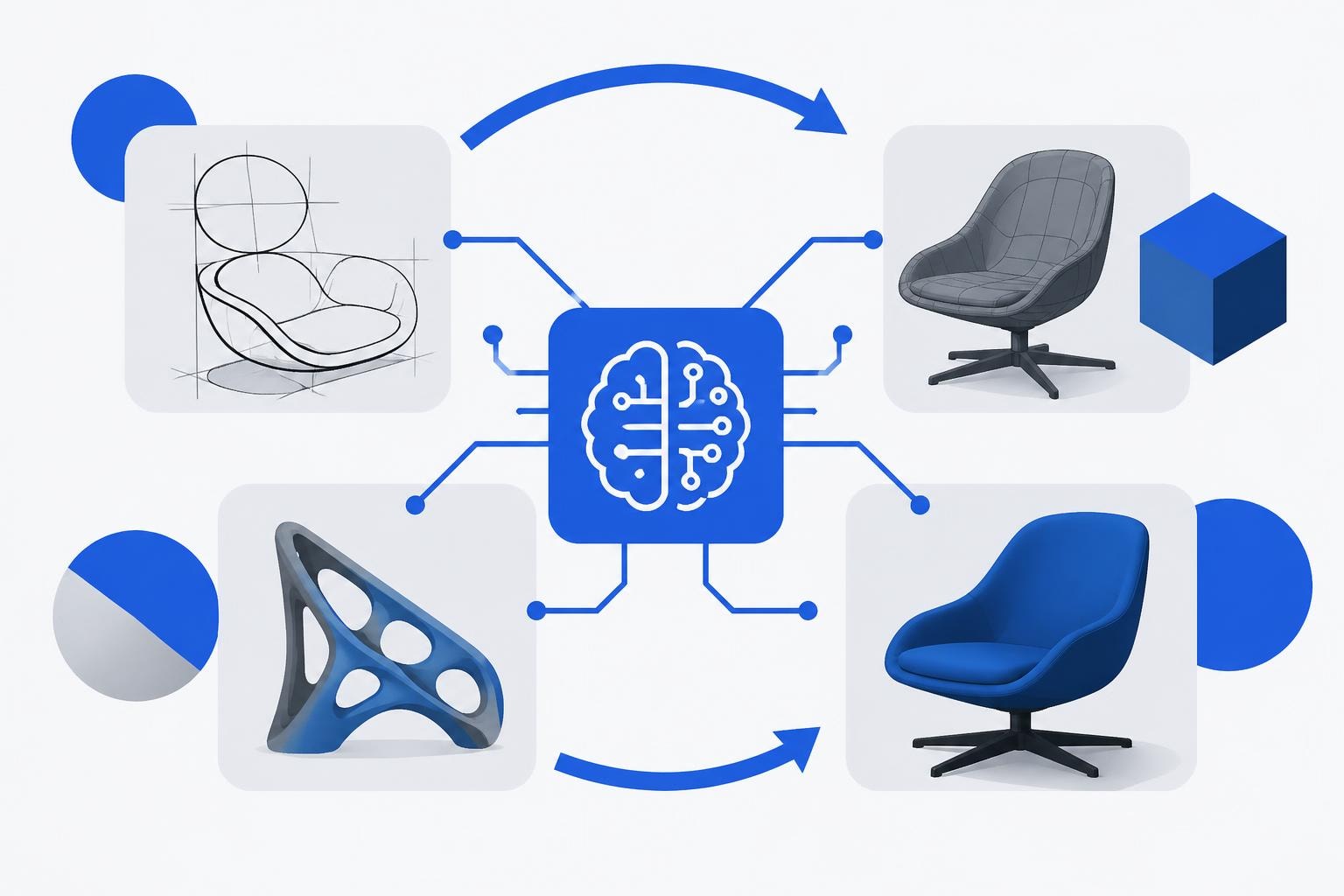
The design and development landscape continues to evolve at an unprecedented pace, with artificial intelligence taking center stage across industries. Autodesk, a pioneer in design software for over four decades, has positioned itself at the forefront of this transformation through comprehensive AI integration across its product suite. Autodesk AI represents more than just incremental improvements to existing tools. It fundamentally reimagines how designers, engineers, and creative professionals approach their work, automating tedious processes while amplifying human creativity. For businesses embracing no-code development and AI-driven solutions, understanding how traditional design platforms incorporate machine learning offers valuable insights into the broader shift toward intelligent automation in software creation.
Understanding the Scope of Autodesk AI Capabilities
Autodesk AI encompasses a broad ecosystem of intelligent features embedded throughout the company's design, engineering, and entertainment software. The Autodesk AI Lab serves as the research engine behind these innovations, collaborating with academic institutions and industry partners to develop cutting-edge generative AI models specifically tailored for CAD geometry and 3D content creation.
At its core, the platform focuses on three primary objectives:
- Automating repetitive tasks that consume valuable creative time
- Augmenting creative exploration through AI-assisted design variations
- Analyzing project data to provide predictive insights and optimization recommendations
The official Autodesk AI solutions page outlines how these capabilities translate into practical applications across architecture, engineering, construction, manufacturing, and media entertainment sectors. Unlike generic AI tools, these features understand industry-specific workflows, terminologies, and technical requirements.
Industry-Specific AI Applications
Different sectors leverage autodesk ai in unique ways that address their particular pain points. Architects use AI to generate building layout options based on site constraints and design parameters. Manufacturers employ machine learning algorithms to optimize product designs for strength, weight, and material efficiency. Media professionals rely on AI-powered animation tools that drastically reduce production timelines.
This specialization matters because it means the AI isn't just performing generic tasks. It's trained on decades of industry knowledge embedded within Autodesk's platforms. The system understands the difference between structural requirements in civil engineering versus organic modeling for character animation.
Revolutionary Tools Reshaping 3D Animation Workflows
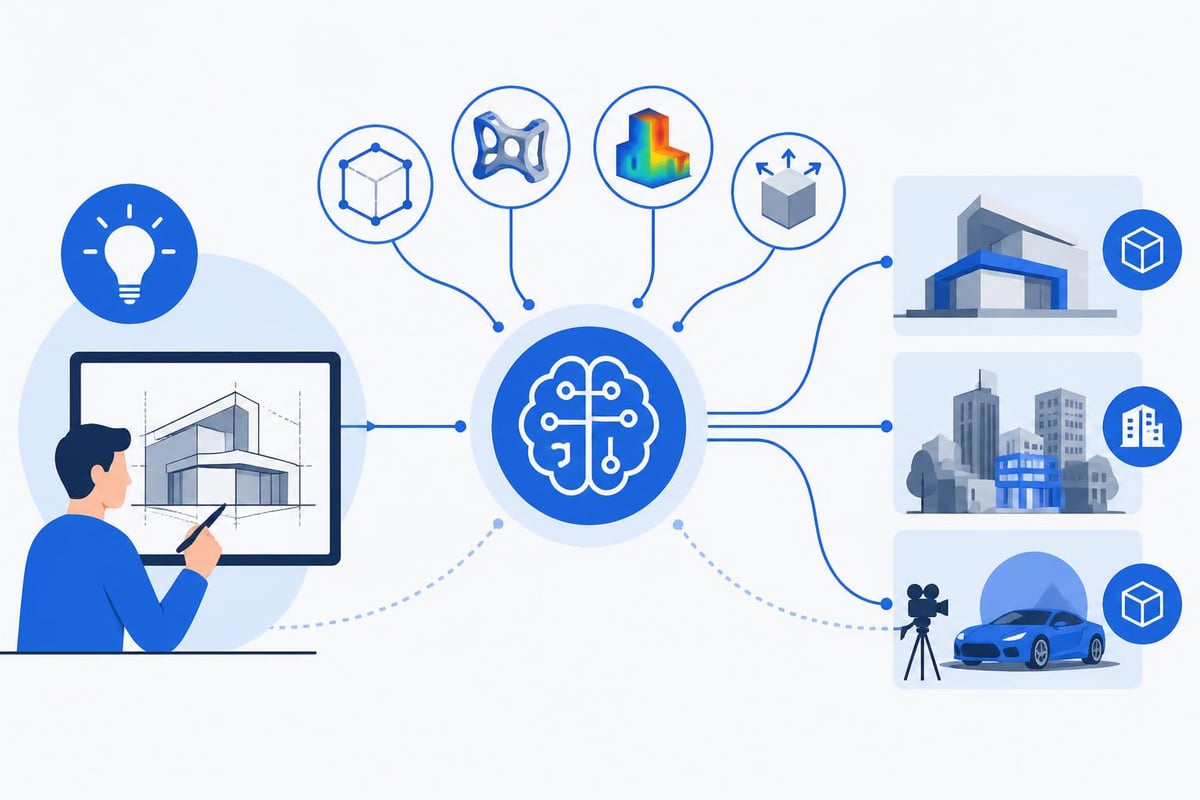
The media and entertainment sector has witnessed perhaps the most dramatic transformation through AI integration. Autodesk's recent introduction of Flow Studio and its AI-driven features represents a significant leap forward in cinematic content creation.
AI Rigging eliminates one of animation's most time-consuming bottlenecks. Traditionally, rigging a 3D character could take days or weeks, requiring specialized technical artists. The AI system analyzes character geometry and automatically generates production-ready rigs in minutes. This democratization of complex technical processes mirrors the philosophy behind no-code development platforms for startups, where technical barriers fall away to enable faster creation.
The Neural Layer technology introduces another breakthrough by streamlining rendering workflows. Instead of waiting hours for final renders, artists can preview near-final quality results in real-time, making creative decisions faster and iterating more freely.
| AI Tool | Primary Function | Time Savings | Best For |
|---|---|---|---|
| AI Rigging | Character setup automation | 70-90% reduction | Character animators |
| Neural Layer | Real-time rendering preview | 60-80% reduction | Lighting artists |
| MotionMaker | Animation generation | 50-70% reduction | Motion designers |
| Wonder 3D | Text-to-3D model creation | 80-95% reduction | Concept artists |
MotionMaker: Simplifying Complex Animation
Maya's MotionMaker tool specifically targets four-legged animal animation, a notoriously difficult challenge that requires understanding of complex biomechanics. The AI generates realistic base animations and transitions in seconds, providing a foundation that animators can refine rather than building from scratch.
This approach exemplifies how autodesk ai augments rather than replaces human expertise. The tool handles the mechanical heavy lifting, freeing artists to focus on performance nuances, personality, and emotional expression that make animation compelling.
Wonder 3D and the Democratization of 3D Content
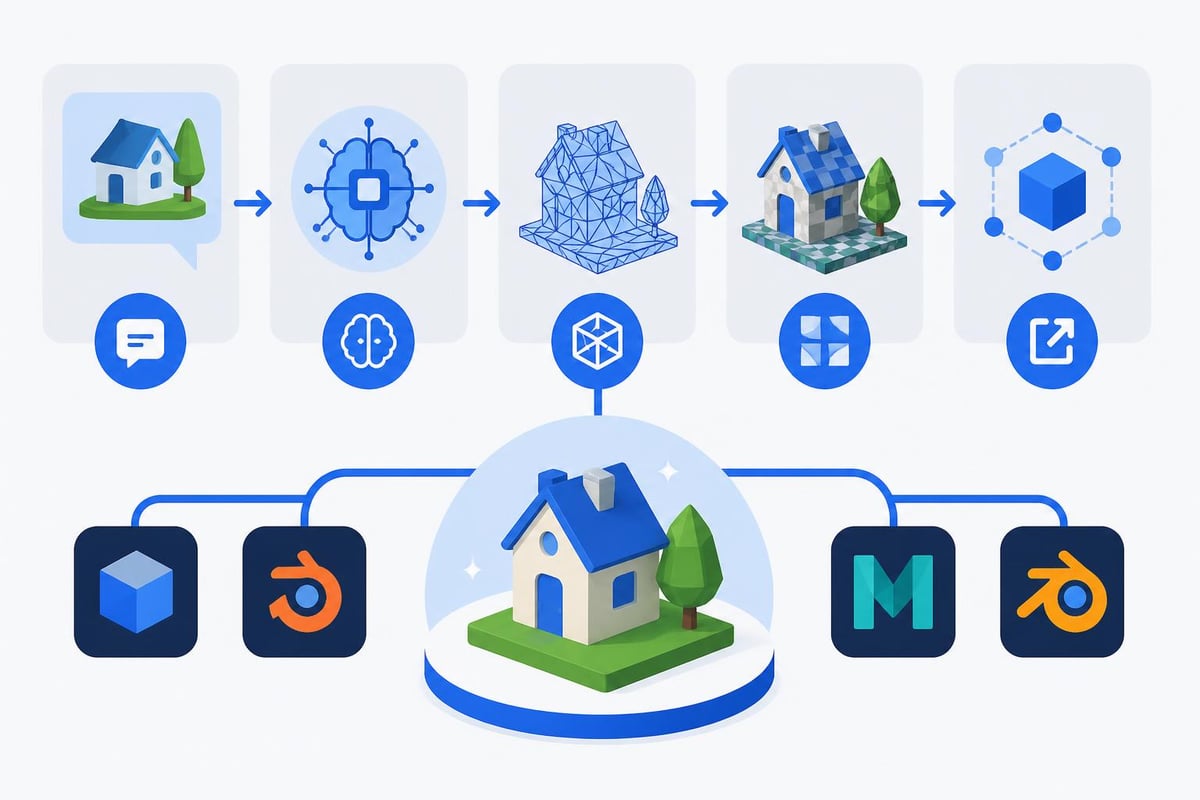
Perhaps no single tool better illustrates AI's potential to transform creative accessibility than Wonder 3D. This AI-powered generator creates editable 3D models from simple text prompts or 2D images, effectively opening professional 3D creation to individuals without years of specialized training.
For businesses exploring AI product development tools, this represents a broader trend. Just as no-code platforms enable non-programmers to build functional applications, AI-assisted design tools enable non-modelers to create 3D assets.
Key capabilities of Wonder 3D include:
- Text-to-3D generation with editable mesh output
- Image-to-3D conversion maintaining visual fidelity
- Automatic topology optimization for various use cases
- Integration with standard 3D modeling workflows
The generated models aren't just static assets. They produce fully editable geometry that professional artists can refine, texture, and animate using traditional tools. This hybrid approach combines AI efficiency with human craftsmanship.
Practical Applications Across Industries
Game Development: Rapid prototyping of environmental assets and character concepts accelerates pre-production significantly. Teams can generate dozens of variations quickly, identifying promising directions before committing extensive resources.
Product Design: Converting sketches or reference images into 3D models speeds up the ideation phase. Designers can physically test concepts through 3D printing much earlier in the development cycle.
Marketing and Visualization: Creating product renders and marketing materials no longer requires outsourcing to specialized 3D studios for every variation. Internal teams can generate high-quality visualizations on demand.
AI Enhancements in Maya and 3ds Max
Autodesk's flagship 3D software packages have received significant AI-powered upgrades that professional artists actually want to use. This distinction matters because many AI features in creative software feel gimmicky or disconnected from real production needs.
These tools focus on reducing tedious, repetitive work rather than attempting to automate creative decision-making. The AI handles technical tasks that follow predictable patterns, allowing artists to concentrate on creative problem-solving.
Common time-consuming tasks now assisted by AI:
- UV unwrapping and texture coordinate generation
- Mesh cleanup and topology optimization
- Basic animation cycles and transitions
- Lighting setup for standard scenarios
- Scene organization and asset management
The implementation strategy emphasizes transparency and control. Artists can see what the AI suggests, understand the reasoning, and adjust parameters to fit specific needs. This matches how modern AI tools for code development function, providing intelligent assistance while keeping developers in control.
The Research Foundation Behind Autodesk AI
Understanding where autodesk ai originates provides context for its capabilities and limitations. The Autodesk AI Lab doesn't just tweak existing algorithms. It conducts fundamental research in machine learning, computer vision, and generative design, publishing findings at top-tier academic conferences.
Current research focus areas include:
- Generative AI models specifically designed for engineering geometry
- Machine learning approaches to structural optimization
- Neural networks for understanding design intent from sketches
- AI-assisted collaboration tools for distributed teams
This research-first approach ensures the technology addresses real industry challenges rather than applying generic AI solutions to domain-specific problems. When an architect uses AI to generate building layouts, the system understands load-bearing requirements, building codes, and spatial relationships because it was trained on architectural principles, not just image patterns.
Collaboration with Industry and Academia
The lab actively partners with universities and research institutions worldwide, ensuring access to cutting-edge AI developments while grounding research in practical applications. These partnerships have produced innovations in areas like topology optimization, where AI suggests material distribution patterns that maximize strength while minimizing weight, something impossible to design manually.
For companies building AI-powered applications, this model offers lessons in balancing innovation with usability. The most effective AI tools emerge from deep domain expertise combined with technical AI capabilities.
Integration Strategies for Enterprise Teams
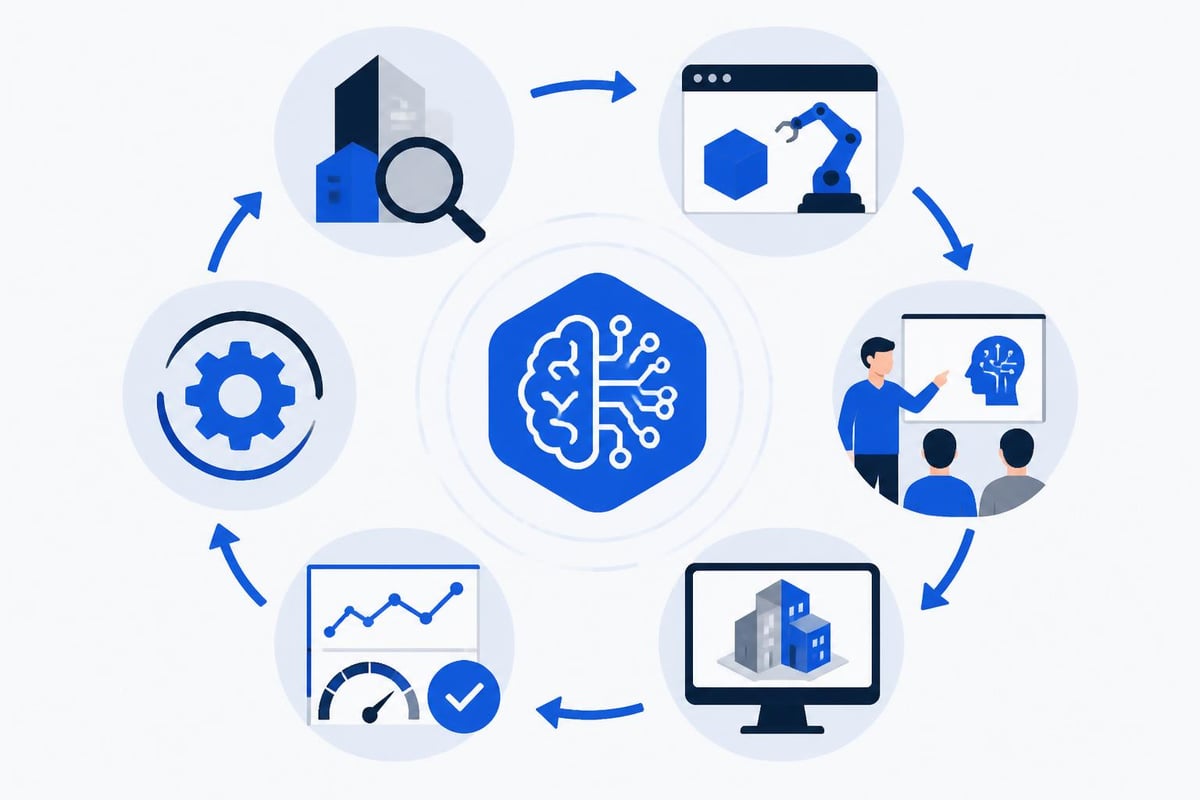
Implementing autodesk ai effectively within existing workflows requires thoughtful planning. Organizations can't simply activate AI features and expect immediate transformation. Successful adoption follows a structured approach that considers technical requirements, team training, and process adaptation.
| Implementation Phase | Key Activities | Timeline | Success Metrics |
|---|---|---|---|
| Assessment | Identify bottlenecks, evaluate AI applicability | 2-4 weeks | Use case definition |
| Pilot Program | Test AI tools on non-critical projects | 1-2 months | Time savings, quality maintenance |
| Training | Educate teams on AI capabilities and limitations | Ongoing | User adoption rate |
| Scaling | Expand to production workflows | 3-6 months | Productivity improvement |
| Optimization | Refine processes based on results | Continuous | ROI measurement |
Critical success factors include:
- Setting realistic expectations about AI capabilities
- Providing adequate training on new AI-powered workflows
- Establishing feedback loops to identify improvement areas
- Measuring concrete outcomes rather than assuming benefits
Teams accustomed to traditional methods may initially resist AI assistance, viewing it as threatening their expertise. Positioning these tools as creative multipliers rather than replacements helps overcome this resistance.
The Future of AI-Driven Content Creation
Autodesk's vision for AI extends well beyond current capabilities. Their research blog on AI's future in content creation reveals ambitious plans for simplifying and accelerating 3D workflows through advanced machine learning.
Emerging capabilities on the horizon include AI systems that understand creative intent from natural language descriptions, generate entire scenes from brief text prompts, and automatically optimize content for different output formats. These developments parallel trends in AI-based design to code tools, where the gap between concept and implementation continues to narrow.
The goal isn't eliminating human creativity but rather removing technical obstacles that slow down creative expression. When technical execution becomes nearly instantaneous, creators can explore more ideas, iterate faster, and produce higher-quality final results within the same timeframe.
Challenges and Considerations
Despite impressive capabilities, autodesk ai faces legitimate challenges. Training data quality directly impacts output quality, meaning AI tools perform best on common scenarios they've encountered during training. Unusual or innovative designs may produce less reliable results.
Intellectual property questions also emerge. When AI generates designs based on training data from existing works, who owns the output? How do licensing requirements apply? These legal frameworks continue evolving as the technology matures.
Performance requirements can also be significant. Running complex AI models demands substantial computational resources, potentially limiting accessibility for smaller organizations or individual users without high-end hardware.
Comparing AI Approaches: Traditional Design vs. No-Code Development
Interesting parallels exist between how autodesk ai transforms traditional design software and how no-code platforms revolutionize application development. Both movements aim to reduce technical barriers, accelerate creation timelines, and enable more people to build professional-quality outputs.
Traditional CAD software required extensive training, similar to how programming demanded years of study. AI-assisted design tools lower these barriers, much like platforms such as Bubble and Lovable enable rapid application development without traditional coding.
Similarities in approach:
- Visual interfaces replace text-based commands
- AI assistance handles technical complexity
- Focus shifts from technical execution to creative decisions
- Iteration speed increases dramatically
- Professional quality remains achievable
The difference lies in application domain. No-code platforms target software functionality, while AI design tools focus on visual and physical creation. Together, they represent a broader shift toward human-centered tools that adapt to user intent rather than requiring users to master arcane technical systems.
For businesses exploring ways to build digital products more efficiently, understanding both movements provides strategic advantages. The principles behind successful AI integration in design software inform better approaches to AI implementation in business applications.
Real-World Performance and ROI Considerations
Measuring the impact of autodesk ai requires looking beyond simple time savings. While completing tasks faster delivers obvious value, additional benefits emerge from enabling work that wasn't previously feasible.
A mid-sized animation studio might reduce rigging time from two weeks to two days per character. The direct savings matter, but the ability to create more character variations, iterate on designs more freely, and take on additional projects represents greater long-term value.
Measurable impact areas include:
- Time to completion: How much faster projects finish from concept to delivery
- Iteration capacity: How many more design variations teams can explore
- Quality consistency: How reliably outputs meet quality standards
- Team scaling: How much work the same team size can handle
- Creative satisfaction: How team members feel about their work experience
That final point matters more than financial spreadsheets might suggest. When creative professionals spend less time on tedious technical work and more time on actual creative problem-solving, job satisfaction improves, retention increases, and the quality of creative output rises.
Practical Tips for Maximizing AI Benefits
Getting the most value from autodesk ai tools requires thoughtful implementation. Organizations that treat AI as just another feature rarely achieve transformational results. Those that restructure workflows around AI capabilities see dramatic improvements.
Start with high-volume, repetitive tasks. Identify processes your team performs frequently with minimal variation. These represent ideal AI candidates because consistent patterns enable effective machine learning.
Maintain human oversight initially. Don't immediately trust AI outputs for critical deliverables. Review AI-generated content carefully at first, building confidence in where the system performs reliably versus where it needs guidance.
Document best practices. As your team discovers effective ways to prompt AI tools, capture that knowledge. Sharing techniques across team members accelerates overall capability development.
Invest in training resources. Budget time and money for proper education on AI tools. The difference between mediocre and excellent AI results often lies in understanding how to frame requests and interpret outputs.
Measure actual outcomes. Track concrete metrics before and after AI implementation. Anecdotal impressions of improvement don't provide the evidence needed to justify continued investment or guide optimization efforts.
Teams working with AI-enhanced development platforms can apply these same principles. The fundamental approaches to AI integration remain consistent across domains, even when specific tools differ.
Autodesk AI represents a fundamental shift in how creative and technical professionals approach design challenges, offering powerful capabilities that amplify human creativity while automating technical complexities. As AI continues evolving across industries, organizations that understand how to effectively integrate these tools gain significant competitive advantages. Whether you're exploring AI-enhanced design workflows or seeking to build custom applications that leverage cutting-edge technology, Big House Technologies specializes in transforming innovative ideas into scalable solutions using no-code and AI platforms, delivering exceptional results on time and within budget.

About Big House
Big House is committed to 1) developing robust internal tools for enterprises, and 2) crafting minimum viable products (MVPs) that help startups and entrepreneurs bring their visions to life.
If you'd like to explore how we can build technology for you, get in touch. We'd be excited to discuss what you have in mind.
Other Articles
Unlock enterprise backend systems modernization for 2026 with key trends, step by step frameworks, technology choices, and proven strategies to future proof your business.
Explore the 7 best Replit alternative platforms for 2025 Compare features pricing and benefits to find the ideal cloud IDE for your coding and team needs
Discover the future of software enterprises in 2025 with insights on trends, tech, business models, and strategies to lead and grow in a changing digital landscape.