
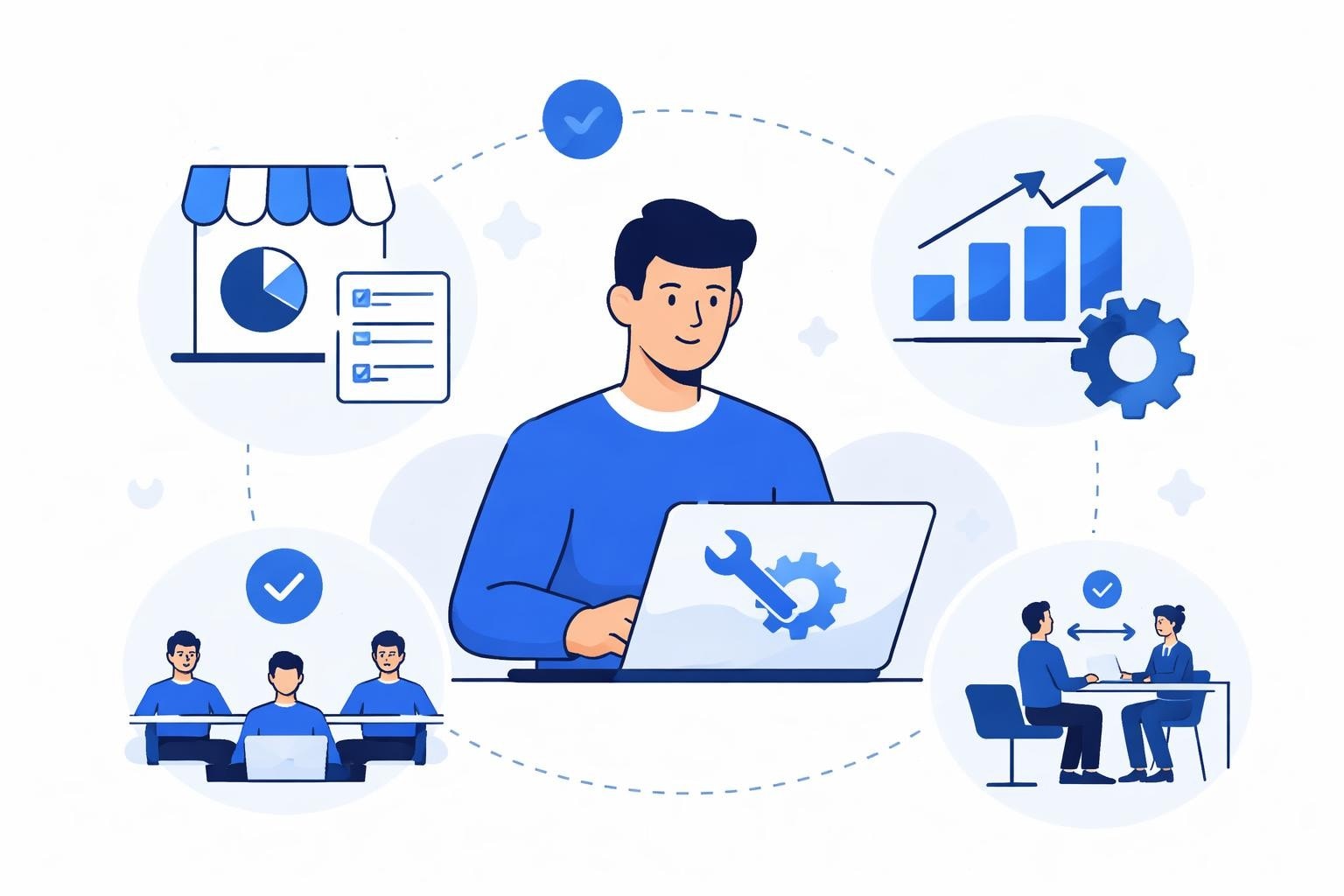
Every successful organization runs on a foundation of internal tools that streamline operations, automate workflows, and empower teams to work more efficiently. Behind these systems stands the internal tool developer, a specialized role focused on building custom software solutions that address unique business challenges. Unlike traditional software engineers who develop customer-facing products, these developers create the digital infrastructure that keeps companies running smoothly. As businesses increasingly recognize the value of tailored internal systems, the demand for skilled internal tool developers has surged across industries in 2026.
Understanding the Internal Tool Developer Role
An internal tool developer specializes in creating software applications used exclusively within an organization. These professionals bridge the gap between business operations and technology, translating departmental needs into functional tools that solve real problems.
The scope of work varies significantly across organizations. Some internal tool developers focus on building comprehensive dashboards that consolidate data from multiple sources, while others create workflow automation systems that eliminate manual processes. Common projects include:
- Employee onboarding platforms that centralize documentation and training materials
- Inventory management systems tailored to specific warehouse operations
- Customer support ticketing tools with custom routing logic
- Financial reporting dashboards that aggregate data from various departments
- HR systems for leave management, performance reviews, and resource allocation
The distinction between internal and external development matters. While product developers optimize for user growth, scalability across diverse customer bases, and market differentiation, an internal tool developer prioritizes rapid deployment, departmental efficiency, and integration with existing systems. This shift in focus fundamentally changes how these developers approach problem-solving and technology selection.
Key Responsibilities and Daily Tasks
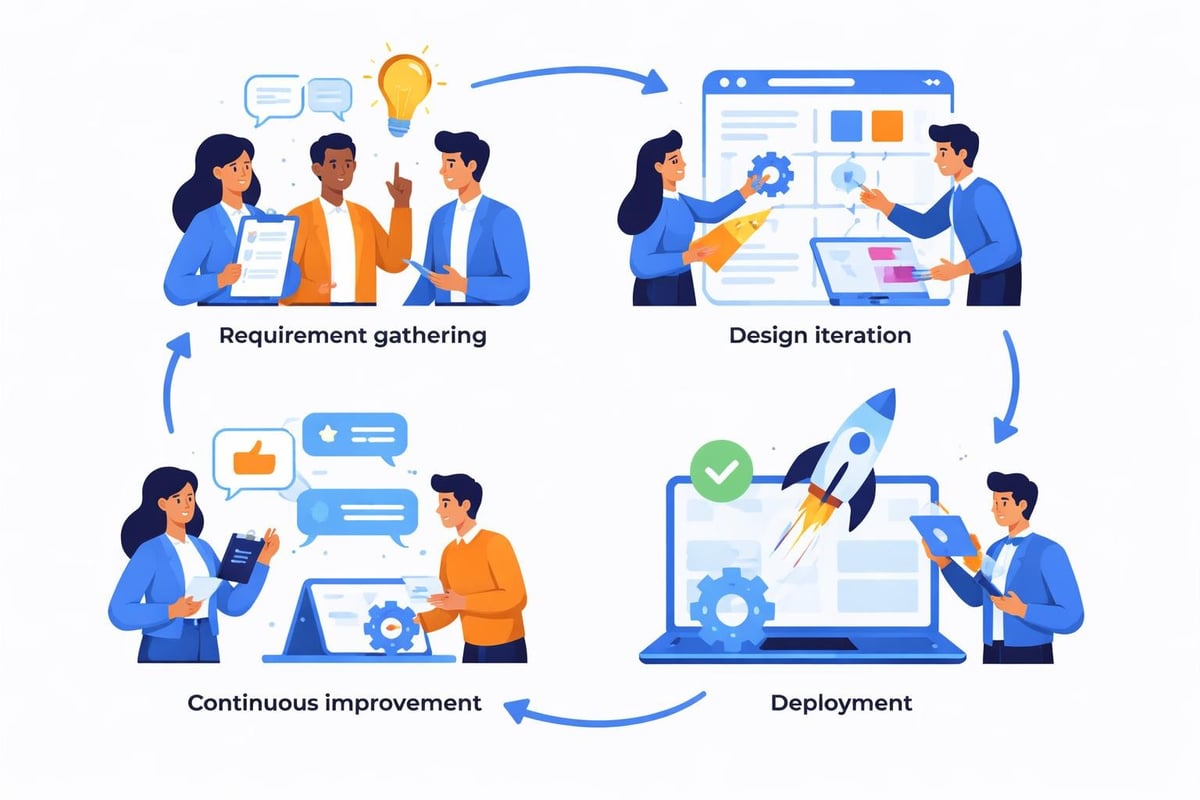
The day-to-day work of an internal tool developer extends far beyond writing code. These professionals spend significant time collaborating with stakeholders across departments to understand pain points and identify opportunities for automation.
Requirement gathering forms the foundation of every internal tool project. Developers conduct interviews with end users, shadow employees performing manual tasks, and analyze existing workflows to identify inefficiencies. This investigative work ensures that solutions address actual needs rather than perceived problems.
Development work itself follows an iterative approach. Internal tool developers typically work in shorter cycles than traditional software teams, deploying minimum viable solutions quickly and refining based on user feedback. According to software development best practices, this agile methodology accelerates value delivery while minimizing waste.
| Core Responsibility | Time Investment | Primary Stakeholders |
|---|---|---|
| Stakeholder Interviews | 15-20% | Department Heads, End Users |
| Design & Prototyping | 25-30% | UX Team, Management |
| Development & Testing | 35-40% | QA Team, Power Users |
| Maintenance & Support | 15-20% | IT Support, All Users |
Ongoing maintenance represents a substantial portion of the role. As business processes evolve and new integration requirements emerge, internal tool developers must continuously update and enhance existing systems. This includes troubleshooting issues, optimizing performance, and adding features based on changing organizational needs.
Essential Skills for Internal Tool Developers
Technical proficiency forms the baseline for any internal tool developer, but the role demands a broader skill set that encompasses business acumen, communication abilities, and strategic thinking.
Technical Competencies
Programming knowledge remains fundamental, though the specific languages and frameworks vary by organization. Modern internal tool developers often work with:
- Full-stack web development using JavaScript frameworks like React, Vue, or Angular
- Backend systems built with Python, Node.js, or Ruby for data processing
- Database management including SQL and NoSQL solutions
- API integration to connect disparate systems and data sources
- No-code platforms like Bubble and Lovable for rapid development
The rise of no-code tools has transformed the internal tool development landscape. These platforms enable developers to build sophisticated applications without writing extensive custom code, dramatically reducing development time and maintenance overhead. For organizations prioritizing speed and cost-efficiency, no-code development offers compelling advantages.
Version control and deployment automation are non-negotiable skills. Internal tool developers must maintain clean codebases, document changes thoroughly, and implement continuous integration pipelines that allow for safe, frequent updates without disrupting business operations.
Business and Communication Skills
Technical expertise alone cannot drive successful internal tool development. These professionals must understand organizational dynamics, departmental objectives, and business metrics that define success.
Effective internal tool developers excel at:
- Translating technical concepts into business language for non-technical stakeholders
- Managing competing priorities across multiple departments
- Balancing quick wins with long-term architectural decisions
- Documenting systems comprehensively for future maintenance
- Training end users on new tools and features
The ability to say "no" constructively separates great internal tool developers from mediocre ones. Not every feature request deserves implementation. Skilled developers evaluate requests based on impact, effort, and alignment with organizational goals, proposing alternatives when original requests prove impractical.

Building Internal Tools: Traditional vs. No-Code Approaches
Organizations face a critical decision when building internal tools: invest in traditional custom development or leverage no-code platforms. Each approach offers distinct advantages and limitations that influence project outcomes.
Traditional Development Methods
Custom-coded internal tools provide maximum flexibility and control. Developers can implement any functionality, optimize performance precisely, and maintain complete ownership of the codebase.
However, traditional development carries significant costs. A custom internal dashboard typically requires 200-400 hours of development time, translating to 5-10 weeks at standard productivity rates. Factor in requirements gathering, testing, and deployment, and projects often extend beyond three months before delivering value.
Maintenance compounds these costs. Every framework update, security patch, and feature enhancement demands developer attention. Organizations must either maintain in-house development teams or retain external agencies, creating ongoing expenses that accumulate over years.
No-Code Platform Advantages
No-code platforms revolutionize internal tool development by abstracting common functionality into visual builders. Instead of writing authentication systems, database queries, and UI components from scratch, developers assemble pre-built modules that handle these tasks automatically.
Speed represents the most compelling benefit. An internal tool that requires three months of custom development can often be built in 1-2 weeks using no-code platforms. This acceleration enables organizations to iterate rapidly, testing multiple solutions to identify optimal approaches.
Cost efficiency follows naturally from speed. Comparing no-code versus custom code costs reveals savings of 60-80% on initial development, with similar reductions in long-term maintenance expenses. Platform providers handle infrastructure management, security updates, and core feature enhancements, reducing the burden on internal teams.
| Consideration | Traditional Development | No-Code Platforms |
|---|---|---|
| Initial Development Time | 8-16 weeks | 1-3 weeks |
| Upfront Cost | $40,000-$80,000 | $8,000-$15,000 |
| Customization Flexibility | Unlimited | Platform-dependent |
| Maintenance Complexity | High | Low |
| Technical Skill Required | Advanced programming | Visual development |
Choosing tools for building internal dashboards requires evaluating organizational priorities. When unique functionality or extreme performance optimization matters most, custom development justifies its costs. When speed, cost control, and ease of maintenance take priority, no-code platforms deliver superior value.
Designing User Experiences for Internal Tools
Internal tools often suffer from poor user experience design, based on the assumption that employees will tolerate clunky interfaces because they have no alternative. This mindset creates friction, reduces adoption, and ultimately undermines the tool's value.
Great internal tool developers recognize that internal tools UX directly impacts productivity and employee satisfaction. Applying thoughtful design principles transforms internal software from necessary evil to genuinely helpful resource.
Progressive Disclosure and Simplicity
Internal tools frequently attempt to accommodate every possible use case in a single interface, resulting in overwhelming complexity. Progressive disclosure combats this tendency by revealing functionality gradually as users need it.
A well-designed expense reporting tool, for example, presents a simple submission form initially. Advanced features like bulk uploads, custom approval routing, or detailed analytics remain hidden until users explicitly request them. This layered approach keeps common tasks straightforward while preserving power user capabilities.
Consistency across internal tools reduces cognitive load and accelerates adoption. When multiple systems share visual language, navigation patterns, and interaction models, employees transfer knowledge between tools rather than relearning interfaces repeatedly. Internal tool developers should establish and follow design systems that create this coherence.
Real-Time Feedback and Collaboration
Internal tools that process critical business data must communicate system status clearly. Users need confirmation that actions succeeded, warnings when issues arise, and transparency into background processes.
Consider an inventory management system processing bulk updates. Poor design shows a loading spinner for minutes without context, leaving users uncertain whether the process succeeded or failed. Thoughtful design displays:
- Progress indicators showing percentage completion
- Real-time counts of processed items
- Clear error messages identifying problematic entries
- Rollback options if updates produce unexpected results
Collaboration features amplify internal tool value in team environments. When multiple employees work with shared data, built-in commenting, tagging, and notification systems eliminate the email chains and Slack threads that fragment communication.
Building and Managing an Internal Developer Team
Organizations scaling their internal tool development efforts face decisions about team structure, hiring priorities, and resource allocation. The composition and management of these teams significantly impact output quality and delivery speed.
In-House vs. Agency Development
Building an in-house internal tool developer team offers maximum control and institutional knowledge. Developers embedded within the organization develop deep understanding of business processes, build relationships with stakeholders, and accumulate context that enhances decision-making.
However, in-house teams require substantial investment. Beyond salaries, organizations must provide benefits, equipment, professional development, and management overhead. Assembling a team with diverse skills covering frontend development, backend systems, database design, and UX requires hiring multiple specialists.
Partnering with specialized agencies provides access to experienced teams without long-term commitments. Hiring no-code product teams through agencies like Big House Technologies delivers expertise in platforms like Bubble and Lovable, accelerating development while maintaining cost predictability.
Many organizations adopt hybrid models, maintaining small in-house teams for ongoing maintenance while engaging agencies for major projects. This approach balances institutional knowledge with specialized expertise and capacity flexibility.
Role Specialization and Career Paths
As internal tool portfolios grow, specialization becomes valuable. Larger organizations differentiate roles including:
- Platform developers who maintain infrastructure and shared services
- Application developers who build department-specific tools
- Integration specialists who connect systems and manage data flows
- UX designers who focus exclusively on internal tool interfaces
- Developer experience engineers who optimize the development process itself
Career progression for internal tool developers traditionally lagged behind product development paths. Forward-thinking organizations now recognize these roles as critical technical positions, offering advancement into senior engineering, architecture, and technical leadership positions.
Creating effective internal developer portals that document systems, provide self-service resources, and streamline workflows becomes increasingly important as teams grow. These portals function as meta-internal tools, accelerating onboarding and reducing support burdens.
Common Challenges and Solutions
Internal tool development presents unique challenges that differ from traditional software engineering. Understanding these obstacles and implementing proven solutions separates successful initiatives from stalled projects.
Scope Creep and Stakeholder Management
Every department wants custom features, and stakeholders often underestimate development complexity. Without disciplined scope management, internal tool projects balloon beyond original estimates, consuming excessive time and resources.
Successful internal tool developers combat scope creep through:
- Clear requirement documentation that defines included and excluded functionality
- Phased delivery plans that prioritize core features over nice-to-haves
- Regular stakeholder reviews that maintain visibility and alignment
- Change request processes that evaluate new requirements against project goals
Establishing a formal prioritization framework helps stakeholders understand trade-offs. When finance requests additional reporting dimensions, developers can explain the development time required and what other features would be delayed to accommodate the request.
Technical Debt Accumulation
Pressure to deliver quickly often leads internal tool developers to take shortcuts: hardcoding values that should be configurable, skipping test coverage, or building fragile integrations that break when external systems change. These shortcuts create technical debt that compounds over time, eventually making systems unmaintainable.
Allocating dedicated time for technical debt reduction prevents accumulation from reaching crisis levels. Many teams adopt the rule that 15-20% of development capacity goes toward refactoring, improving test coverage, and updating dependencies rather than building new features.
Documentation represents another form of technical debt when neglected. Systems built by long-departed employees become black boxes that current teams fear touching. Comprehensive documentation, maintained as systems evolve, ensures knowledge persists beyond individual contributors.
Integration and Data Quality
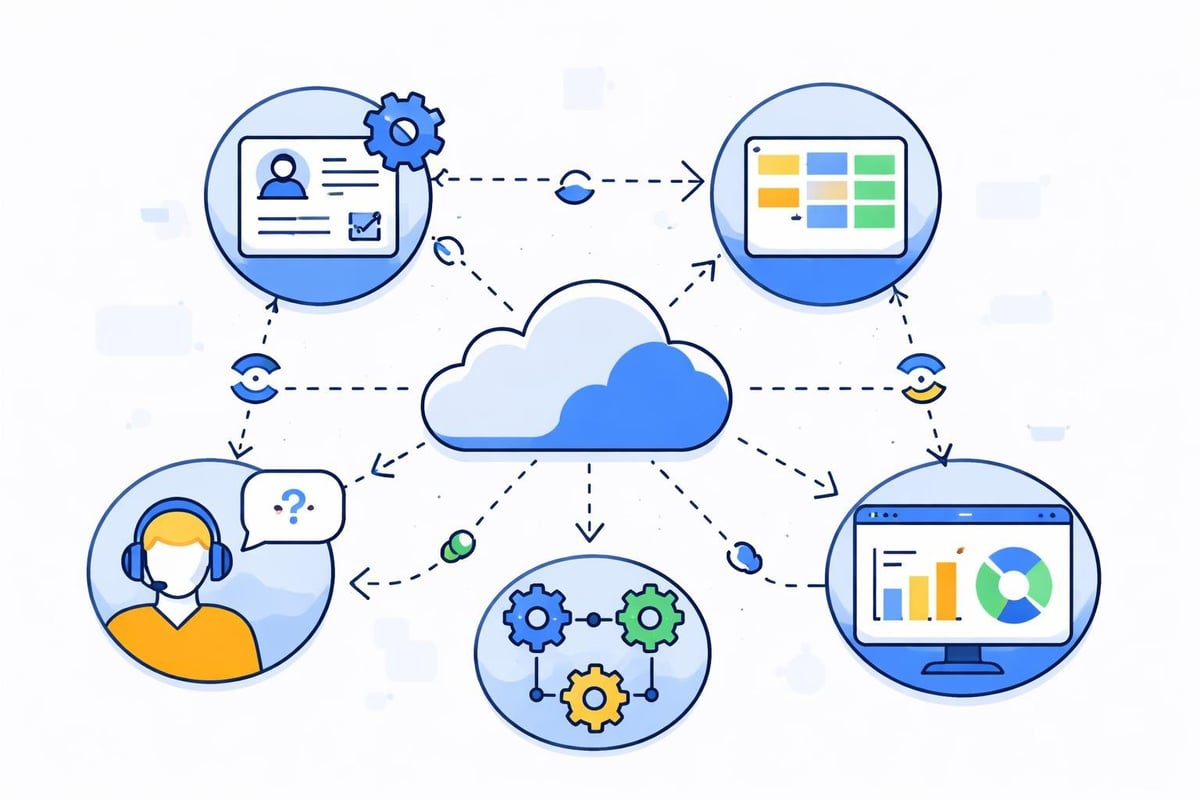
Internal tools rarely operate in isolation. They must integrate with existing systems including CRMs, ERPs, databases, and third-party services. Each integration introduces complexity and potential failure points.
Successful integration strategies include:
- Building abstraction layers that isolate integration logic from core functionality
- Implementing robust error handling and retry mechanisms
- Monitoring integration health and alerting on failures
- Maintaining fallback options when external systems become unavailable
Data quality issues plague internal tools because they aggregate information from multiple sources with varying standards. An internal tool developer must implement validation rules, data cleaning processes, and reconciliation workflows that ensure accuracy despite upstream inconsistencies.
Future Trends in Internal Tool Development
The internal tool development landscape continues evolving as new technologies and methodologies emerge. Understanding these trends helps developers and organizations prepare for upcoming shifts.
AI-Enhanced Development
Artificial intelligence increasingly assists internal tool developers through code generation, automated testing, and intelligent recommendations. AI-powered no-code development tools now generate functional interfaces from natural language descriptions, dramatically accelerating prototyping.
Beyond code generation, AI enables smarter internal tools. Chatbot interfaces replace traditional forms for data entry, machine learning models detect anomalies in operational data, and predictive analytics surface insights that would require manual analysis.
The internal tool developer's role shifts from pure implementation toward prompt engineering, model training, and AI integration. Technical skills remain essential, but the ability to leverage AI capabilities effectively becomes equally important.
Platform Consolidation
Organizations tired of maintaining dozens of disconnected internal tools increasingly adopt consolidated platforms that provide unified experiences. Rather than separate systems for project management, time tracking, and resource allocation, modern solutions integrate these functions within cohesive environments.
This consolidation trend favors internal tool developers with platform thinking, who design systems as interconnected modules rather than standalone applications. Building with scalable internal developer portals creates foundations that accommodate future expansion without architectural overhauls.
Low-Code and No-Code Dominance
The trajectory toward low-code and no-code development accelerates as platforms mature and organizational acceptance grows. By 2026, these approaches have moved from novelty to standard practice for internal tool development across enterprise and startup environments.
This shift democratizes development beyond traditional IT departments. Business analysts, operations managers, and other technical-adjacent roles increasingly build simple internal tools themselves, freeing specialized internal tool developers to focus on complex integrations and architectural challenges.
However, professional internal tool developers remain essential for sophisticated systems, security-critical applications, and architectural oversight that prevents the sprawl of unmaintained citizen-developer projects.
Building effective internal tools requires balancing technical expertise, business understanding, and user-focused design while navigating organizational constraints and evolving requirements. Whether you're looking to establish an in-house capability or need specialized development support, Big House Technologies brings deep expertise in no-code and AI platforms that accelerate internal tool development. Our comprehensive approach from scoping through deployment ensures your internal systems deliver measurable value quickly and cost-effectively.

About Big House
Big House is committed to 1) developing robust internal tools for enterprises, and 2) crafting minimum viable products (MVPs) that help startups and entrepreneurs bring their visions to life.
If you'd like to explore how we can build technology for you, get in touch. We'd be excited to discuss what you have in mind.
Other Articles
We ran an experiment comparing Bubble and Webflow by building identical websites to test SEO and performance. Read on to explore the results and determine which platform offers better features for your business.
Discover the fastest no-code platforms for startups in 2026. Compare speeds, features, and capabilities to launch your product quickly.
Discover how bubble experts transform enterprise workflows with no-code automation, scalable systems, and rapid deployment for modern businesses.