

Enterprise teams need robust development environments that support collaboration, scalability, and security. While Replit has gained popularity among individual developers and educators, enterprise organizations often require more sophisticated features like advanced access controls, dedicated infrastructure, and enterprise-grade support. Understanding the top replit competitors for enterprise teams helps technical leaders make informed decisions about their development infrastructure. This landscape includes traditional cloud IDEs, collaborative coding platforms, and innovative no-code solutions that address enterprise requirements differently than consumer-focused tools.
Understanding Enterprise Development Environment Requirements
Enterprise development teams face unique challenges that consumer-grade tools often cannot address. Security compliance stands at the forefront, with organizations needing SOC 2 certification, GDPR compliance, and robust data encryption. Additionally, teams require granular role-based access controls to manage who can view, edit, or deploy code across multiple projects and repositories.
Performance at scale becomes critical when dozens or hundreds of developers work simultaneously. Enterprise teams need:
- Dedicated computational resources that don't throttle during peak usage
- Seamless integration with existing CI/CD pipelines
- Support for multiple programming languages and frameworks
- Advanced debugging and profiling tools
- Custom container configurations and environment variables
Collaborative features extend beyond basic code sharing. Enterprise teams benefit from real-time pair programming capabilities, comprehensive code review workflows, and integration with project management systems. The best enterprise collaboration software platforms in 2026 emphasize these coordinated workflows as essential for productivity.
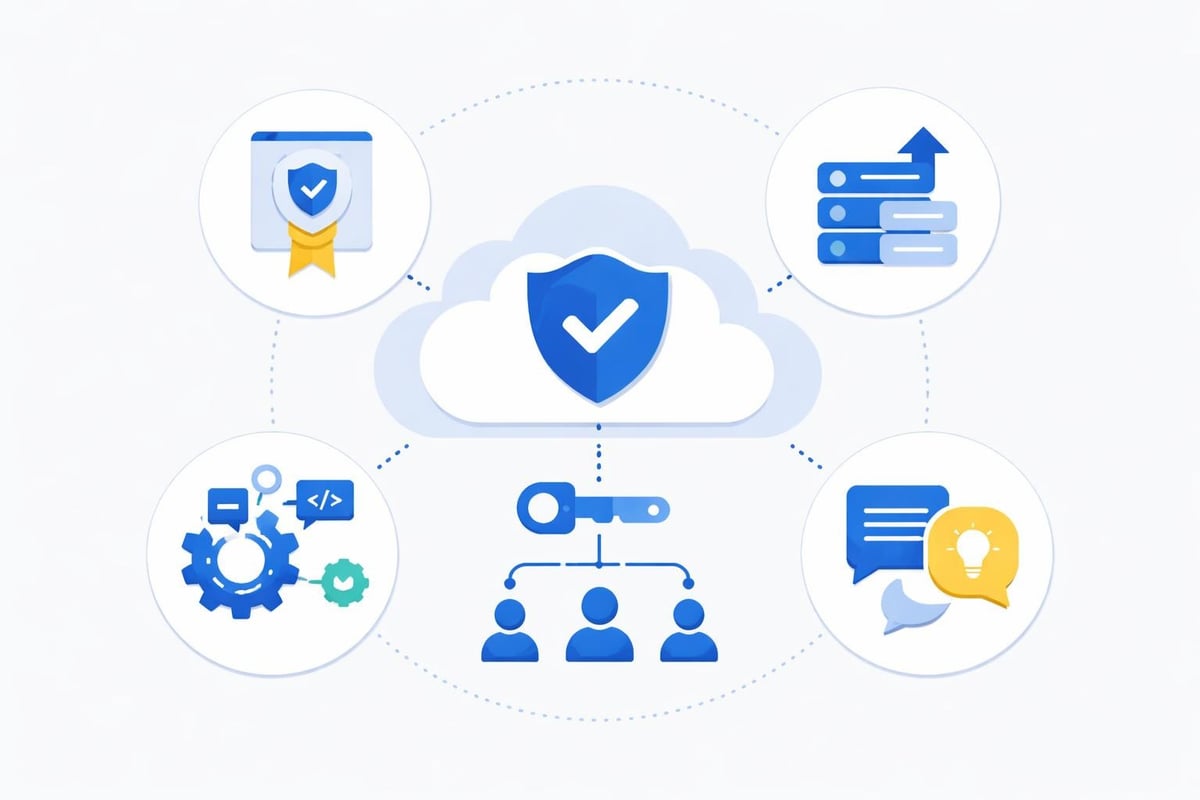
The Shift Toward Cloud-Based Development
Traditional local development environments create consistency challenges across distributed teams. Cloud-based IDEs eliminate the "works on my machine" problem by providing standardized environments accessible from anywhere. This shift aligns with broader enterprise workflow automation tools that prioritize accessibility and consistency.
Organizations implementing remote or hybrid work policies particularly benefit from cloud IDEs. Developers can switch devices seamlessly, onboard new team members faster with pre-configured environments, and maintain security by keeping code off local machines. The top replit competitors for enterprise teams have recognized this trend and built infrastructure specifically for distributed workforces.
GitHub Codespaces: Microsoft's Enterprise Solution
GitHub Codespaces represents Microsoft's answer to cloud-based development, tightly integrated with the GitHub ecosystem. For enterprises already invested in GitHub Enterprise, Codespaces offers a natural extension of their existing workflows.
Key enterprise features include:
- Full Visual Studio Code experience in the browser
- Pre-built dev containers that standardize team environments
- Integration with GitHub Advanced Security for vulnerability scanning
- Dedicated virtual machines with configurable CPU and memory
- Seamless connection to GitHub repositories and actions
| Feature | Enterprise Benefit | Limitation |
|---|---|---|
| VS Code Integration | Familiar interface reduces training time | Limited to VS Code ecosystem |
| Container-based | Reproducible environments across teams | Requires containerization knowledge |
| GitHub Ecosystem | Unified platform for code and development | Vendor lock-in considerations |
| Security Features | Advanced threat detection and scanning | Additional cost tier required |
GitHub Codespaces shines for teams heavily invested in the Microsoft development ecosystem. The platform supports multiple programming languages and frameworks while providing enterprise-grade infrastructure. Organizations can define development container configurations that ensure every team member works in identical environments, eliminating configuration drift.
Pricing follows a consumption-based model where organizations pay for compute hours and storage. While this provides flexibility, costs can escalate quickly with large teams. Budget-conscious enterprises should carefully monitor usage patterns and implement policies around instance types and automatic shutdown timers.
AWS Cloud9: Amazon's Cloud Development Platform
AWS Cloud9 integrates directly into Amazon Web Services infrastructure, making it particularly attractive for enterprises already running workloads on AWS. This cloud IDE provides a browser-based editor with built-in terminal access and debugging capabilities.
The platform excels at serverless development workflows. Developers can write, test, and debug Lambda functions directly within Cloud9, then deploy them without leaving the environment. For enterprises building microservices architectures on AWS, this streamlined workflow significantly reduces development friction.
Cloud9 advantages for enterprise teams:
- Direct AWS integration enables seamless access to DynamoDB, S3, and other services
- Collaborative editing allows multiple developers to share environments in real-time
- Cost optimization through automatic environment hibernation after inactivity
- IAM integration leverages existing AWS identity and access management policies
- Preconfigured runtimes for popular languages including Python, Node.js, and PHP
However, Cloud9's tight coupling with AWS creates dependencies that may not suit every enterprise strategy. Organizations pursuing multi-cloud approaches might find this integration limiting. Additionally, the interface feels less polished compared to modern alternatives, and some developers report performance inconsistencies with larger codebases.
Gitpod: Container-Native Development Environments
Gitpod has emerged as one of the top replit competitors for enterprise teams prioritizing containerization and infrastructure-as-code principles. The platform automatically provisions development environments from Git repositories, making onboarding remarkably efficient.
Every Gitpod workspace launches from a Docker container defined in the repository itself. This approach ensures developers start with the exact dependencies, tools, and configurations needed for each project. Teams no longer waste hours installing dependencies or troubleshooting environment inconsistencies.
Enterprise-Specific Features
Gitpod Enterprise offers self-hosted deployment options for organizations with strict data residency requirements. Companies can run Gitpod on their own infrastructure, maintaining complete control over where code resides and executes. This addresses common concerns about intellectual property protection and compliance.
The platform integrates with multiple Git providers including GitHub, GitLab, and Bitbucket. Developers can launch pre-configured environments directly from pull requests or issue links, accelerating code review workflows. This tight integration with existing development processes minimizes disruption during adoption. Comparing cloud IDEs in 2026 reveals that Gitpod's Git-centric approach resonates particularly well with teams practicing continuous deployment.
Gitpod pricing considerations:
- Usage-based billing measured in credit hours
- Different instance sizes with varying computational power
- Self-hosted option requires infrastructure management
- Volume discounts available for large teams
JetBrains Space: Integrated Development Platform
JetBrains Space takes a broader approach than traditional cloud IDEs by combining code hosting, CI/CD pipelines, package repositories, and communication tools into one platform. For enterprise teams seeking consolidation, Space reduces the number of separate tools developers must navigate.
The platform supports JetBrains' popular IDEs including IntelliJ IDEA, PyCharm, and WebStorm. Developers can work in their preferred local environment while leveraging Space for collaboration, code review, and automation. This hybrid approach addresses concerns about agentic IDEs needing maturity for enterprise adoption by allowing gradual migration.
Space's code review system stands out with intelligent suggestions based on JetBrains' deep language understanding. Reviewers see not just diffs but contextual information about how changes affect the broader codebase. This intelligence reduces review time while improving code quality.
| JetBrains Space Feature | Enterprise Value |
|---|---|
| Integrated CI/CD | Eliminates need for separate automation platform |
| Package Registry | Centralized dependency management |
| Chat and Meetings | Reduces communication tool sprawl |
| Code Quality Analysis | Built-in static analysis and recommendations |
| Project Planning | Unified backlog and sprint management |
The all-in-one nature of Space appeals to organizations tired of managing integrations between disparate tools. However, this comprehensive approach means higher licensing costs compared to point solutions. Teams should evaluate whether they'll actually use all included features before committing.
Coder: Self-Hosted Development Environments
Coder enables enterprises to provision development environments on their own infrastructure, whether on-premises or in private clouds. This self-hosted approach addresses security and compliance requirements that prevent some organizations from using public cloud development tools.
The platform transforms any infrastructure into development environments accessible through VS Code or JetBrains IDEs. Administrators define templates that specify the resources, tools, and access controls for different project types. Developers then provision environments from these templates in minutes rather than days.
Coder's enterprise advantages include:
- Complete control over where code and data reside
- Integration with existing identity providers and SSO systems
- Ability to leverage underutilized infrastructure resources
- Customizable environment templates for different teams or projects
- Detailed analytics on resource usage and developer productivity
Organizations with strict regulatory requirements often find Coder the only viable option among cloud development solutions. Financial services firms, healthcare organizations, and government contractors can maintain air-gapped development environments while still providing modern developer experiences.
The tradeoff involves infrastructure management responsibilities. Unlike fully-managed cloud IDEs, Coder requires DevOps expertise to deploy, configure, and maintain. Smaller enterprises without dedicated platform teams may struggle with this operational overhead.
No-Code and Low-Code Alternatives for Enterprise Teams
When evaluating top replit competitors for enterprise teams, forward-thinking organizations increasingly consider no-code and low-code platforms. These tools address enterprise development needs through fundamentally different approaches than traditional coding environments.
No-code platforms for enterprise workflows enable business analysts and citizen developers to build applications without writing code. This democratization of development reduces bottlenecks in IT departments while accelerating time-to-market for internal tools.
Bubble for Enterprise Application Development
Bubble stands out as a powerful no-code platform capable of building production-grade applications. Enterprise teams use Bubble to create customer portals, internal management systems, and even customer-facing products. The platform provides:
- Visual programming interface that replaces hand-coded logic
- Robust database management with relationships and constraints
- API integration capabilities for connecting to existing systems
- Responsive design tools for building cross-device experiences
- Advanced workflow automation for complex business processes
Organizations benefit from significantly reduced development costs. Understanding bubble developer costs reveals substantial savings compared to traditional development approaches, especially for internal tools and MVPs. Teams can iterate rapidly based on user feedback without lengthy development cycles.
The visual nature of Bubble makes maintenance more accessible. Multiple team members can understand and modify applications without specialized programming knowledge, reducing key-person dependencies that plague traditional codebases.

Lovable AI: AI-Powered Development Platform
Lovable represents the cutting edge of AI-assisted development, generating functional applications from natural language descriptions. Enterprise teams use Lovable to rapidly prototype ideas, create internal tools, and accelerate development of customer-facing features.
The platform combines conversational AI with code generation, allowing developers to describe what they want to build rather than manually coding every component. This approach dramatically reduces time from concept to working prototype. Teams can validate ideas with stakeholders in days rather than weeks.
Lovable's enterprise applications include:
- Rapid prototyping for stakeholder validation
- Internal tool development for specific departmental needs
- Accelerating boilerplate code generation for traditional projects
- Enabling product managers to create functional mockups
- Reducing time spent on routine CRUD operations
Integration between AI-powered platforms and traditional development workflows creates powerful synergies. Teams might use Lovable to generate initial application structure, then export code for customization in traditional IDEs. This hybrid approach combines AI efficiency with developer control.
Evaluating Total Cost of Ownership
Enterprise technology decisions extend beyond subscription fees to encompass total cost of ownership. When comparing top replit competitors for enterprise teams, organizations should consider:
- Direct licensing costs per developer or per compute unit
- Infrastructure expenses for self-hosted solutions
- Training and onboarding time for new platforms
- Integration costs with existing development tools
- Productivity gains from improved developer experience
- Reduced time-to-market for applications and features
| Platform Type | Upfront Cost | Operational Overhead | Scalability | Learning Curve |
|---|---|---|---|---|
| Cloud IDE | Low-Medium | Low | High | Low-Medium |
| Self-Hosted | Medium-High | High | Medium-High | Medium |
| No-Code | Low | Low | Medium-High | Low |
| Hybrid | Medium | Medium | High | Medium-High |
Organizations should conduct pilot programs with multiple platforms before committing to enterprise-wide rollout. Real-world usage patterns often differ significantly from vendor demonstrations or proof-of-concept scenarios. Gathering developer feedback during pilots reveals usability issues and integration challenges early.
Low-code digital transformation tools often deliver faster ROI than traditional development platforms for specific use cases. Enterprises should match tool capabilities to project requirements rather than adopting one-size-fits-all solutions.
Security and Compliance Considerations
Enterprise development environments must satisfy rigorous security requirements. Organizations handling sensitive data face regulatory obligations around data protection, access controls, and audit logging. Evaluating security features should include:
- Data encryption both at rest and in transit
- Compliance certifications (SOC 2, ISO 27001, HIPAA, etc.)
- Access control granularity including role-based and attribute-based policies
- Audit logging of all development activities and access events
- Secret management for API keys, credentials, and certificates
- Network isolation options for sensitive projects
The best enterprise team collaboration tools integrate security throughout the development lifecycle rather than treating it as an afterthought. Features like automated security scanning, dependency vulnerability detection, and policy enforcement prevent issues from reaching production.
Organizations in regulated industries should prioritize platforms offering self-hosted deployment options. While cloud solutions provide convenience, maintaining data sovereignty sometimes requires on-premises infrastructure. Platforms like Coder and Gitpod Enterprise address these requirements while preserving modern development experiences.
Building a Secure Development Strategy
Security-conscious enterprises implement layered approaches combining multiple tools and practices:
- Use cloud IDEs with strong authentication and session management
- Implement secret scanning to prevent credential exposure in repositories
- Enforce code signing requirements for deployment pipelines
- Deploy security training specific to chosen development platforms
- Conduct regular audits of environment configurations and access patterns
The maturity of security features varies significantly across platforms. Organizations should request detailed security documentation and conduct their own assessments before deploying development tools across large teams.
Integration Ecosystem and Extensibility
Modern development requires integration with numerous tools spanning project management, communication, testing, and deployment. The top replit competitors for enterprise teams differentiate themselves through robust integration ecosystems and extensibility options.
Critical integration categories include:
- Version control systems (GitHub, GitLab, Bitbucket)
- Project management tools (Jira, Linear, Azure DevOps)
- Communication platforms (Slack, Microsoft Teams)
- CI/CD pipelines (Jenkins, CircleCI, GitHub Actions)
- Monitoring and observability tools (Datadog, New Relic)
- Testing frameworks and quality assurance platforms
Platforms with open APIs and plugin architectures allow enterprises to build custom integrations addressing unique workflows. This flexibility becomes increasingly valuable as organizations grow and develop specialized processes. The availability of team collaboration tools that integrate seamlessly with development environments enhances overall productivity.
Some platforms bundle integrations while others require separate marketplace purchases or custom development. Organizations should map current tool usage against available integrations to identify gaps that might require workarounds or custom development effort.
Making the Right Choice for Your Enterprise
Selecting among top replit competitors for enterprise teams requires balancing multiple factors against organizational priorities. Different enterprises will weight criteria differently based on industry, team size, existing infrastructure, and strategic direction.
Decision framework considerations:
| Factor | Questions to Ask |
|---|---|
| Team Size | How many developers need access? Will this grow significantly? |
| Technical Expertise | What's our team's experience with containers, cloud platforms, and DevOps? |
| Existing Infrastructure | Are we committed to specific cloud providers or on-premises deployment? |
| Budget Constraints | What's our total budget including training, integration, and opportunity costs? |
| Security Requirements | Do we have regulatory obligations requiring specific controls or certifications? |
| Development Methodology | How do we currently work? What processes must the platform support? |
Enterprises building primarily internal tools might find better value in no-code platforms rather than traditional cloud IDEs. Low-cost MVP development tools enable rapid iteration on internal processes without the overhead of managing full development environments.
Conversely, organizations building complex, performance-critical applications may require the full power of container-native cloud IDEs with extensive debugging and profiling capabilities. Understanding your specific use cases guides appropriate platform selection.
Future Trends in Enterprise Development Environments
The landscape of development tools continues evolving rapidly. AI-powered coding assistants are becoming standard features across platforms, helping developers write code faster and with fewer bugs. Expect these capabilities to expand significantly throughout 2026 and beyond.
Emerging trends to watch:
- Increased AI integration for code generation, testing, and documentation
- Tighter coupling between development and production environments
- Enhanced support for polyglot development across multiple languages
- Improved remote pair programming and collaborative debugging
- Greater emphasis on developer experience metrics and productivity analytics
Organizations should evaluate platforms not just on current capabilities but on roadmap alignment with these trends. Vendors investing heavily in AI integration and developer experience will likely pull ahead of those focused solely on infrastructure provision.
The rise of AI software development platforms signals a fundamental shift in how applications get built. Enterprise teams that adopt these tools early gain competitive advantages through faster iteration and reduced development costs.
Choosing the right development environment profoundly impacts enterprise team productivity, code quality, and time-to-market. Whether you select traditional cloud IDEs, self-hosted solutions, or innovative no-code platforms depends on your specific requirements and constraints. Big House Technologies helps enterprises navigate these decisions and implement optimal development solutions using leading no-code and AI platforms. Our team specializes in building scalable applications that meet enterprise requirements while dramatically reducing development time and costs compared to traditional approaches.

About Big House
Big House is committed to 1) developing robust internal tools for enterprises, and 2) crafting minimum viable products (MVPs) that help startups and entrepreneurs bring their visions to life.
If you'd like to explore how we can build technology for you, get in touch. We'd be excited to discuss what you have in mind.
Other Articles
Discover how low code platforms for internal tools accelerate development, reduce costs, and empower teams to build custom solutions faster.
Discover how to choose the best software development company in US for 2026. Get expert tips, avoid risks, and secure a partner that drives business success.
Discover how to choose the best enterprise digital transformation partners for 2026 with expert insights, evaluation steps, and future-proof strategies for success.