
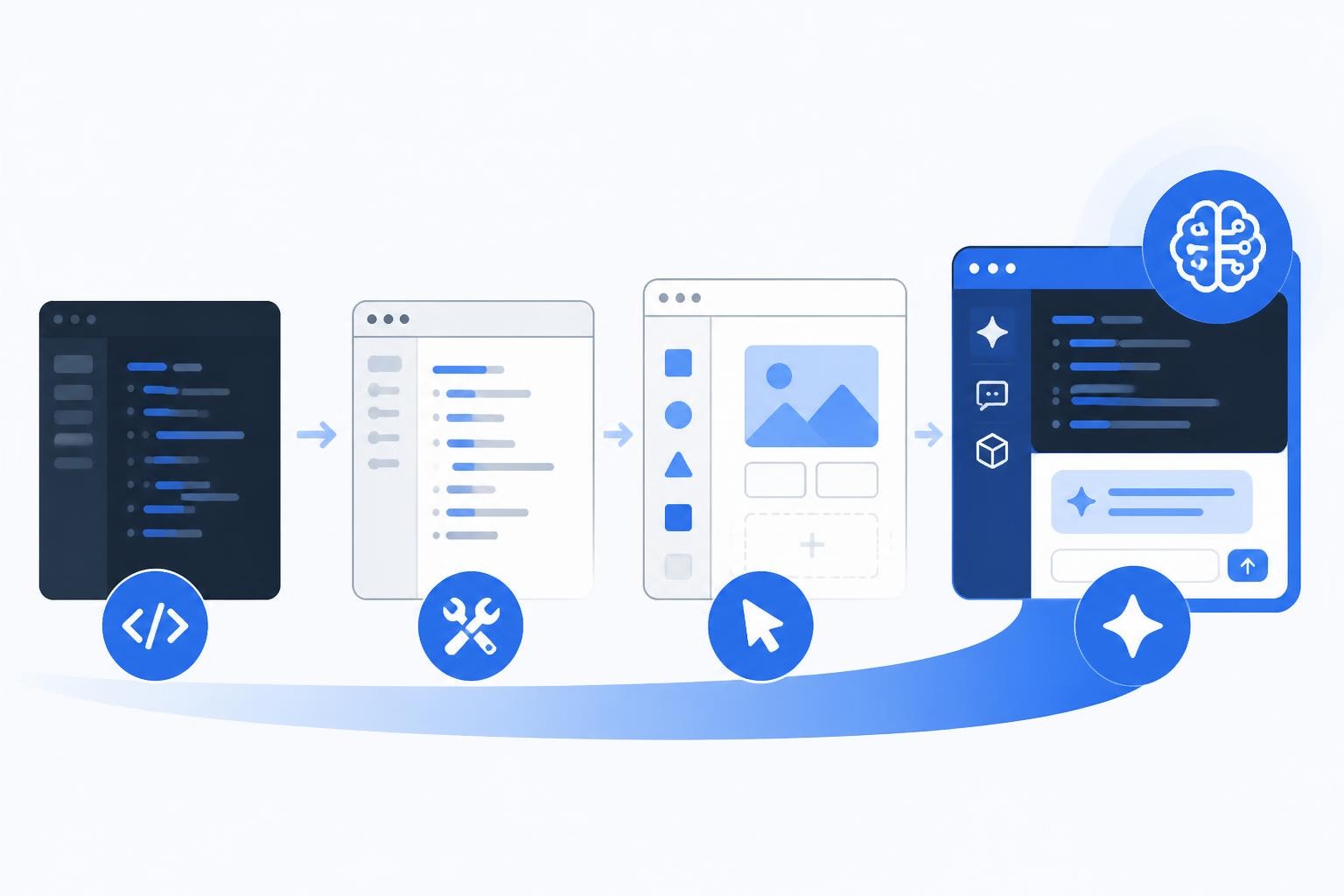
The landscape of sw development tools has transformed dramatically in 2026, moving far beyond traditional code editors and compilers. Today's software creators have access to an unprecedented array of platforms that range from classic integrated development environments to cutting-edge no-code and AI-powered solutions. Whether you're building enterprise applications, launching startup MVPs, or creating internal business tools, understanding the full spectrum of available tools is essential for making informed decisions that impact project timelines, budgets, and outcomes.
Understanding the Modern SW Development Tools Ecosystem
The category of sw development tools now encompasses a vast ecosystem that includes everything from developer tools integrated into browsers to sophisticated no-code platforms. This expansion reflects fundamental shifts in how software gets built and who can build it.
Traditional development tools remain foundational for many projects. These include:
- Integrated Development Environments (IDEs) like Visual Studio Code, IntelliJ IDEA, and WebStorm
- Version control systems such as Git and platforms like GitHub or GitLab
- Testing frameworks that ensure code quality and functionality
- Debugging tools for identifying and resolving issues
- Package managers for dependency management
However, the emergence of no-code and AI-assisted platforms has democratized software creation. Bubble, for instance, enables developers to build full-stack web applications without writing traditional code, while AI-powered tools accelerate development through intelligent code generation and design assistance.
The Shift Toward Visual Development
Modern sw development tools increasingly emphasize visual interfaces and drag-and-drop functionality. This transition doesn't eliminate the need for technical knowledge but redistributes where that expertise gets applied. Instead of writing thousands of lines of code, developers configure logic flows, design database schemas visually, and connect pre-built components.
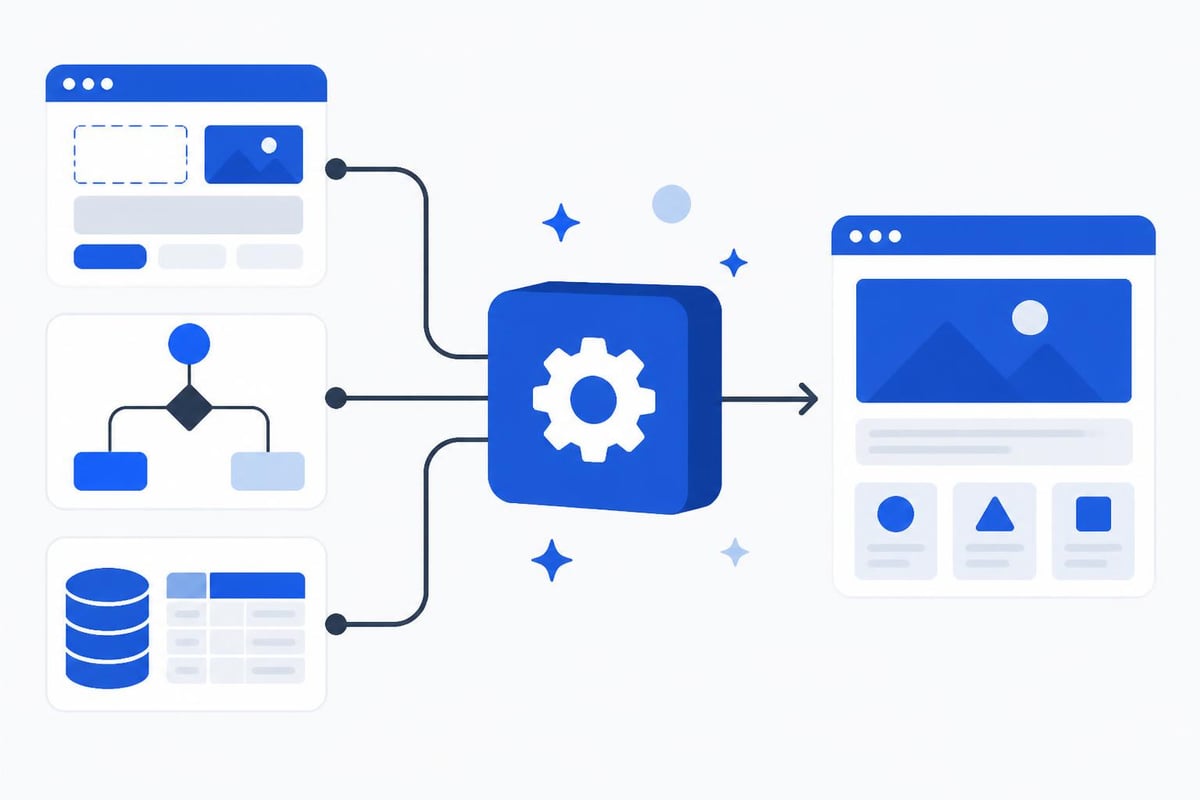
The importance of software development tools extends beyond individual productivity to organizational efficiency. When teams adopt tools that match their skill levels and project requirements, they reduce development time, minimize errors, and deliver solutions faster.
Categories of Essential SW Development Tools
Breaking down sw development tools into clear categories helps teams select the right combinations for their specific needs. Each category serves distinct purposes within the development lifecycle.
| Tool Category | Primary Purpose | Examples | Best For |
|---|---|---|---|
| Code Editors | Writing and editing code | VS Code, Sublime Text | Traditional development |
| No-Code Platforms | Visual app building | Bubble, Webflow | Rapid prototyping, MVPs |
| AI Development Tools | Code generation, assistance | GitHub Copilot, Lovable | Accelerating development |
| Testing Tools | Quality assurance | Jest, Selenium, Cypress | Ensuring reliability |
| Deployment Tools | Publishing applications | Vercel, Netlify, AWS | Going live |
| Collaboration Tools | Team coordination | Slack, Jira, Linear | Project management |
Development Environment Setup Tools
Setting up a proper development environment represents the first critical step in any software project. This foundation includes:
- Operating system configuration optimized for development
- Code editor or IDE installation with relevant extensions
- Version control setup for tracking changes
- Local server environments for testing
- Database systems appropriate for the project
Many developers underestimate the complexity of this setup phase. Research on installation challenges for novice developers reveals that configuration issues consume significant time and create frustration, particularly when working with open-source tools that may lack comprehensive documentation.
No-Code and Low-Code Platforms
The rise of no-code platforms has fundamentally changed what constitutes sw development tools. Platforms like Bubble provide complete development environments where users build production-ready applications through visual interfaces. These tools include:
- Database builders with relationship mapping
- Responsive design systems
- Workflow automation engines
- API integration capabilities
- User authentication systems
For organizations evaluating low-cost MVP development tools, no-code platforms offer compelling advantages. They reduce the need for large development teams, compress timelines from months to weeks, and allow for rapid iteration based on user feedback.
Selecting SW Development Tools for Your Project
Choosing appropriate sw development tools requires evaluating multiple factors beyond feature lists. The decision impacts not just initial development but long-term maintenance, scalability, and team productivity.
Technical Requirements Assessment
Start by documenting your project's technical needs:
Performance requirements: Does your application need to handle thousands of concurrent users or process data in real-time? Different sw development tools offer varying performance characteristics.
Integration needs: Most modern applications connect to third-party services, payment processors, or external databases. Ensure your chosen tools support necessary integrations.
Scalability expectations: Consider both user growth and feature expansion. Some tools excel at rapid prototyping but struggle with enterprise-scale deployments.
Security standards: Regulated industries require specific security certifications and compliance features. Secure development practices should guide tool selection when handling sensitive data.
Team Skill Considerations
The most powerful sw development tools deliver value only when teams can effectively use them. Assess your team's capabilities honestly:
- What programming languages do team members know?
- How much time is available for learning new platforms?
- Does the project benefit more from speed or customization?
- Are there knowledge gaps that certain tools could bridge?
Organizations often discover that comparing no-code versus custom code costs reveals surprising insights. While custom development offers unlimited flexibility, no-code solutions can deliver 80% of required functionality at 20% of the cost and time.
Budget and Timeline Constraints
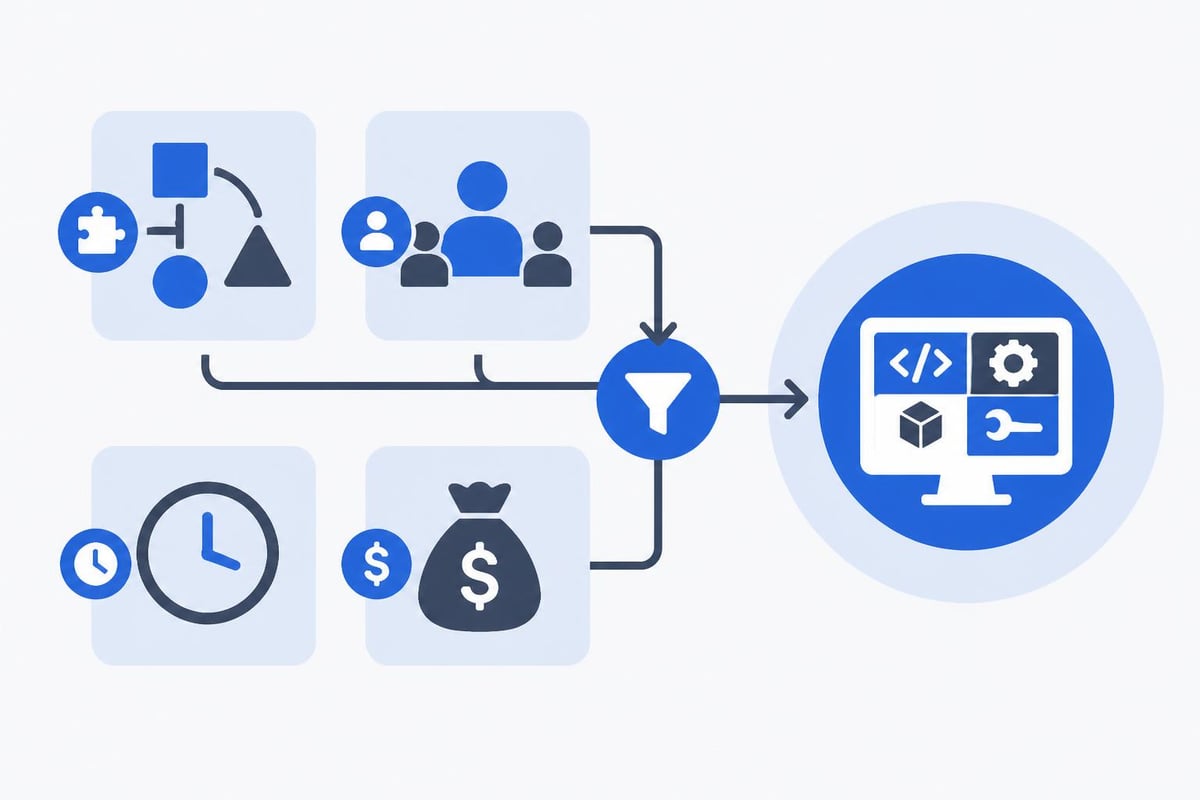
Financial and temporal realities shape tool selection significantly. Consider:
- Licensing costs - Some tools charge per user monthly, others per application
- Infrastructure expenses - Hosting, databases, and third-party services add up
- Training investment - New tools require onboarding time
- Maintenance overhead - Different tools demand varying ongoing effort
- Migration risks - Switching tools mid-project is expensive
The features of software development tools that matter most depend heavily on these constraints. A startup with limited runway might prioritize speed over perfect customization, while an enterprise might invest in tools that offer superior governance and compliance features.
AI-Powered SW Development Tools
Artificial intelligence has created entirely new categories of sw development tools that augment human developers. These platforms don't replace traditional coding but accelerate it through intelligent assistance.
Code Generation and Completion
AI code assistants analyze context and suggest completions, entire functions, or even complex algorithms. These tools learn from millions of code repositories to provide relevant suggestions. Developers using these assistants report:
- 30-50% faster coding for routine tasks
- Reduced cognitive load when working in unfamiliar languages
- Improved code consistency across team members
- Faster learning curves for new frameworks
However, AI-generated code requires careful review. The tools excel at producing syntactically correct code but may not understand business logic nuances or security implications.
Design-to-Code Automation
One of the most exciting developments in sw development tools is AI-based design-to-code conversion. These platforms transform visual designs into functional code or no-code configurations, bridging the gap between designers and developers.
Lovable represents this category's cutting edge, allowing users to describe applications in natural language and receive working prototypes. This approach dramatically reduces the traditional back-and-forth between design and development phases.
No-Code Platforms as SW Development Tools
No-code platforms deserve special attention as they redefine what sw development tools can accomplish. Unlike traditional tools that assist with coding, no-code platforms eliminate it entirely for many use cases.
Bubble's Comprehensive Environment
Bubble exemplifies how no-code platforms provide complete development ecosystems. Within a single interface, developers access:
- Visual page builder with responsive design capabilities
- Database designer supporting complex relational structures
- Workflow engine for business logic and automation
- Plugin marketplace extending core functionality
- API connector for external integrations
- Deployment infrastructure handling hosting and scaling
When evaluating the best database for no-code platforms, understanding how the platform handles data becomes crucial. Bubble's built-in database works well for most applications, but complex enterprise needs might require external database connections.
Use Cases and Limitations
No-code sw development tools excel in specific scenarios:
Internal tools: Companies building internal tool solutions find no-code platforms ideal for dashboards, workflow automation, and data management applications.
MVP development: Startups validating product concepts benefit from no-code's speed and cost advantages, getting to market in weeks rather than months.
Simple web applications: Customer portals, booking systems, and content management platforms map well to no-code capabilities.
Limitations exist, however:
- Complex calculations or data processing may hit performance walls
- Highly specialized functionality might require custom code
- Some integrations demand traditional API development
- Mobile apps have different constraints than web applications
| Consideration | No-Code Tools | Traditional Tools |
|---|---|---|
| Development Speed | Days to weeks | Weeks to months |
| Initial Cost | Low to moderate | Moderate to high |
| Customization | Limited but sufficient | Unlimited |
| Maintenance | Platform-managed | Self-managed |
| Scalability | Good for most cases | Excellent for all cases |
| Learning Curve | Gentle | Steep |
Collaboration and Project Management Tools
Modern sw development tools extend beyond code creation to encompass team coordination and project tracking. Effective collaboration tools become force multipliers for development teams.
Version Control and Code Review
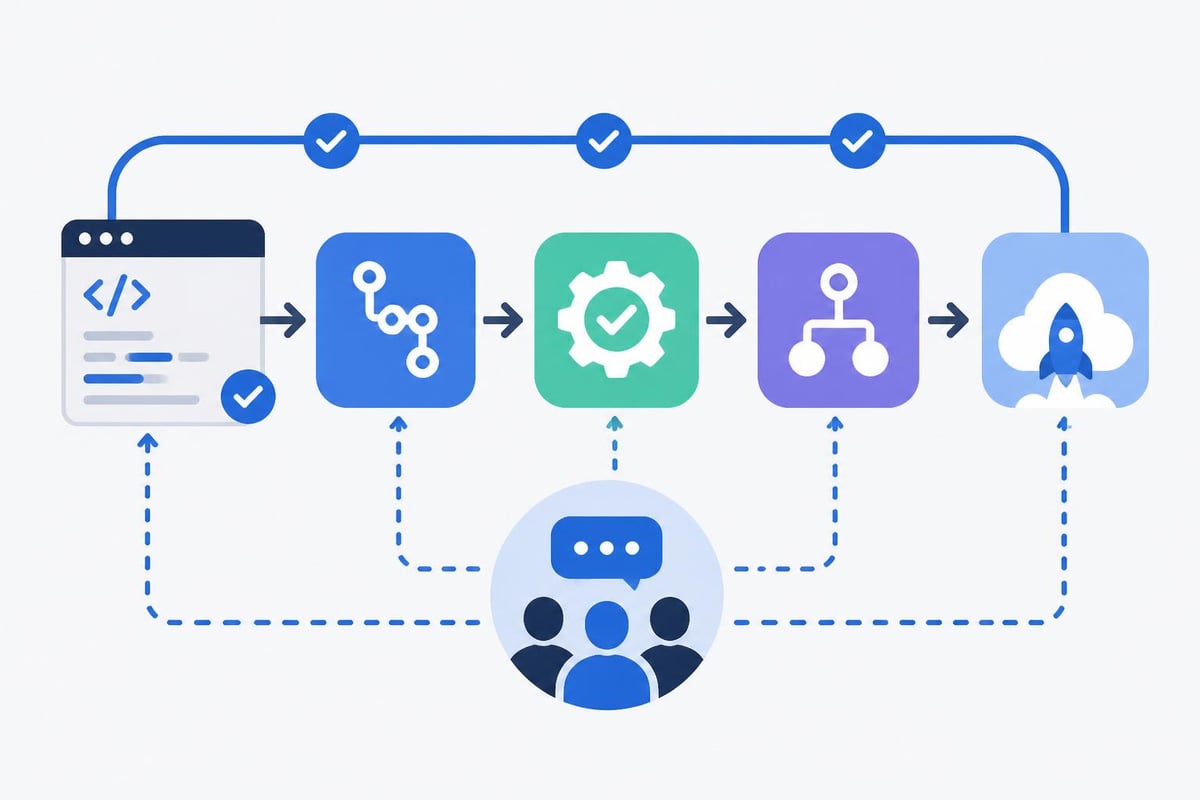
Git remains the foundation of collaborative development, but modern platforms built atop it provide enhanced workflows:
- Pull request systems for code review
- Automated testing integration
- Deployment pipelines
- Issue tracking tied to code changes
- Documentation hosting
These tools ensure teams maintain code quality while moving quickly. The challenge of searching for architectural information highlights why good documentation and searchable code repositories matter tremendously.
Communication Platforms
Development teams need clear communication channels:
Synchronous tools like Slack or Microsoft Teams enable real-time problem-solving and quick questions. They reduce email overhead but can create interruption-heavy environments without proper norms.
Asynchronous tools including project management platforms, documentation wikis, and design collaboration spaces allow distributed teams to work across time zones effectively.
The best sw development tools integrate with communication platforms, sending notifications about deployments, build failures, or code reviews directly into team channels.
Testing and Quality Assurance Tools
No discussion of sw development tools is complete without addressing quality assurance. Testing tools ensure applications work correctly before reaching users.
Automated Testing Frameworks
Different testing levels require different tools:
- Unit testing validates individual components in isolation
- Integration testing ensures components work together correctly
- End-to-end testing simulates real user workflows
- Performance testing identifies bottlenecks and capacity limits
- Security testing reveals vulnerabilities before attackers find them
For no-code platforms, testing takes different forms. While unit testing of visual workflows isn't traditional, no-code developers still need to verify:
- Database triggers fire correctly
- Workflows execute in proper sequence
- Conditional logic handles edge cases
- User permissions restrict access appropriately
Quality Metrics and Monitoring
Beyond testing, sw development tools for quality monitoring track application health in production. These platforms alert teams to:
- Performance degradation
- Error rate spikes
- User experience issues
- Security incidents
- Infrastructure problems
Integrating monitoring from day one prevents the common pattern of reacting to problems only after users report them.
The Future of SW Development Tools
The trajectory of sw development tools points toward increasing abstraction and AI assistance. Several trends are reshaping the landscape:
Natural language programming: Tools like Lovable demonstrate how describing desired functionality in plain English can generate working applications. This approach will continue maturing, making software creation accessible to non-technical domain experts.
Automated optimization: AI will increasingly handle performance tuning, security hardening, and code refactoring, allowing human developers to focus on business logic and user experience.
Cross-platform unification: The distinction between web, mobile, and desktop development is blurring. Modern sw development tools increasingly target all platforms from a single codebase or configuration.
Sustainability focus: As environmental concerns grow, development tools will need to consider energy efficiency, carbon footprint, and sustainable computing practices.
Understanding programming tools broadly and how they evolved provides context for where the industry is heading. The core goal remains unchanged: helping humans translate ideas into functional software as efficiently as possible.
Practical Implementation Strategies
Adopting new sw development tools successfully requires thoughtful planning beyond simply purchasing licenses. Organizations should follow structured approaches:
Pilot Programs
Before committing entire teams to new tools:
- Select a small, non-critical project as a testing ground
- Identify champions who will become internal experts
- Document lessons learned and best practices
- Gather feedback from pilot users
- Adjust rollout plans based on results
Training and Onboarding
Investment in education pays dividends:
Structured learning paths: Create progression from basics to advanced features, with clear milestones and hands-on projects.
Peer learning: Pair experienced users with newcomers for knowledge transfer and context sharing.
External resources: Leverage vendor documentation, community forums, and professional courses.
Practice projects: Nothing teaches like building real applications, even if they're internal tools or demonstrations.
Establishing Standards
As teams adopt sw development tools, establishing conventions ensures consistency:
- Naming conventions for variables, databases, and components
- Code organization patterns and file structures
- Review processes before deploying changes
- Security checklists and compliance requirements
- Documentation standards for future maintainers
The open-source software development community offers valuable examples of how distributed teams maintain quality through clear standards and collaborative practices.
The evolution of sw development tools from basic text editors to sophisticated no-code platforms and AI assistants represents a fundamental shift in how software gets created. Success in 2026 requires understanding the full spectrum of available tools and matching them to specific project needs, team capabilities, and business constraints. If you're ready to leverage modern development tools to build scalable software solutions quickly and cost-effectively, Big House Technologies combines expertise in Bubble's no-code platform and Lovable's AI capabilities to transform your ideas into production-ready applications, delivering enterprise-quality results on startup timelines and budgets.

About Big House
Big House is committed to 1) developing robust internal tools for enterprises, and 2) crafting minimum viable products (MVPs) that help startups and entrepreneurs bring their visions to life.
If you'd like to explore how we can build technology for you, get in touch. We'd be excited to discuss what you have in mind.
Other Articles
Discover how application making software empowers businesses to build custom apps faster and cheaper than traditional development in 2026.
Stay ahead with the latest Soundhound news Explore 2025 updates on AI voice tech product launches stock trends and expert insights for investors and developers
Explore the top AI plugins to supercharge your no-code Bubble app with image recognition, personalized recommendations, and predictive analytics, transforming your application’s functionality and user engagement.