
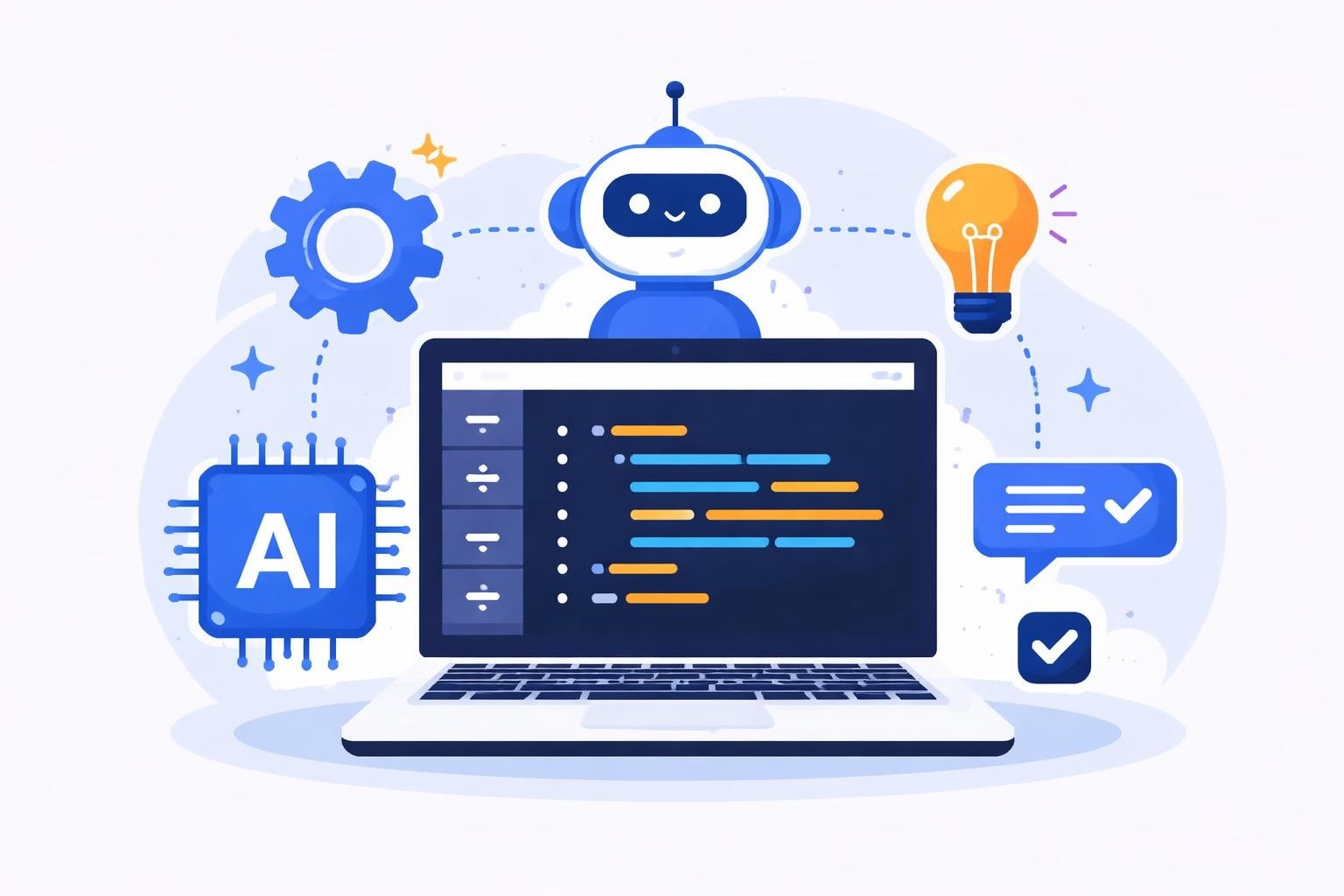
The development landscape in 2026 demands tools that enhance productivity without sacrificing control. As AI integration becomes standard across software development, choosing the right code editor significantly impacts your team's efficiency and output quality. The cursor vs vscode debate has intensified as developers weigh traditional extensibility against native AI capabilities, particularly for teams building sophisticated applications through platforms like Bubble and Lovable where code visibility and API integrations remain crucial.
Understanding the Core Differences
Visual Studio Code established itself as the industry standard open-source editor since Microsoft released it in 2015. Built on Electron, VSCode offers extensive customization through thousands of extensions, themes, and configurations that developers worldwide have contributed.
Cursor emerged as a VSCode fork specifically designed for AI-first development. Rather than adding AI as an afterthought through extensions, Cursor bakes intelligent assistance directly into its core architecture. This fundamental design difference shapes how each editor handles modern development workflows.
Key distinguishing factors include:
- Native AI integration vs extension-based AI additions
- Pricing models ranging from free to subscription-based
- Performance optimization for different use cases
- Community ecosystem size and extension availability
- Privacy considerations for code and data handling
The cursor vs vscode comparison extends beyond surface features to fundamental philosophical approaches. VSCode champions flexibility and community-driven evolution, while Cursor prioritizes AI-native workflows from the ground up.
AI Capabilities and Integration
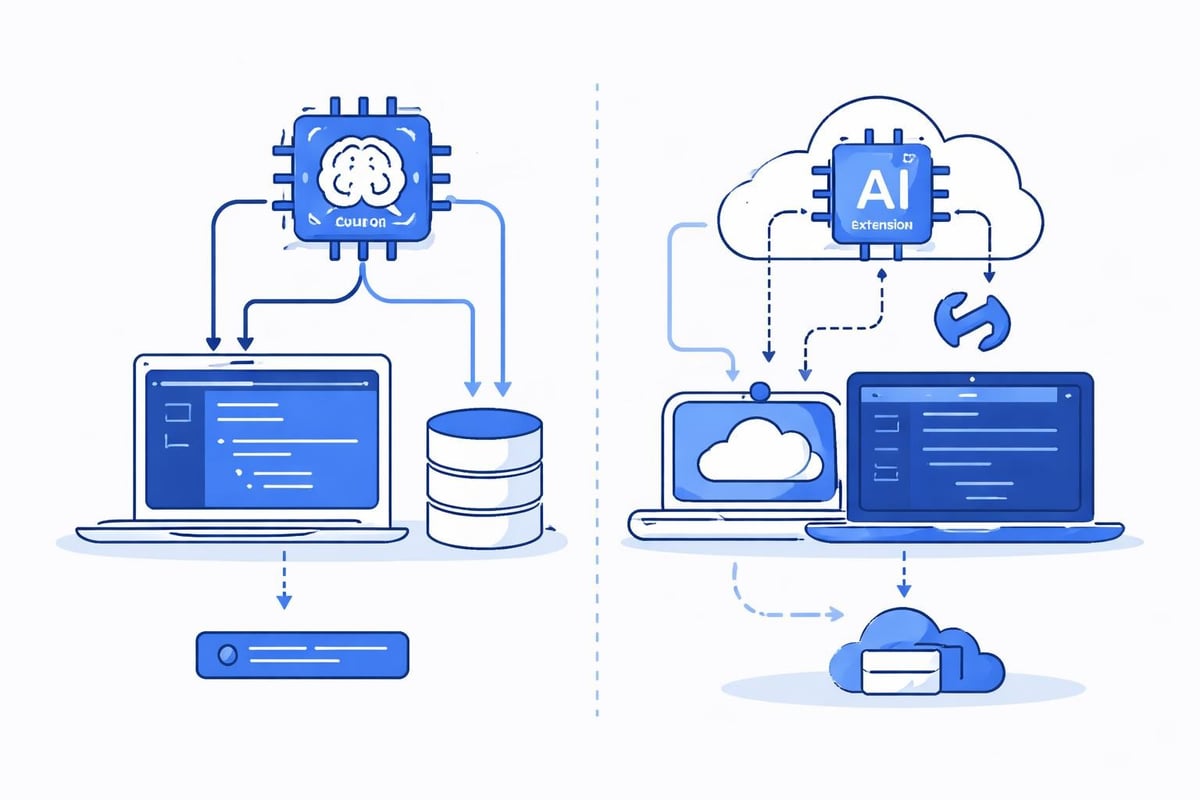
Cursor's standout feature remains its deep AI integration powered by multiple models including GPT-4, Claude, and custom implementations. Developers can highlight code blocks and receive contextual suggestions, refactoring recommendations, and even complete function implementations through natural language prompts.
Native AI Features in Cursor
The Cursor chat interface understands your entire codebase context. When you ask questions about specific functions or request implementations, the AI analyzes related files, dependencies, and existing patterns to generate relevant responses. This contextual awareness surpasses typical autocomplete functionality.
Cursor's AI toolkit includes:
- Copilot++ mode for advanced code generation
- Codebase-wide semantic search through natural language
- Multi-file editing with AI-driven changes
- Inline chat for immediate assistance without context switching
- Terminal command generation from plain English descriptions
According to reports about Nvidia's adoption, over 30,000 engineers at the company use a specialized Cursor version internally, claiming tripled code production rates.
VSCode's Extension-Based AI Approach
VSCode relies on extensions like GitHub Copilot, TabNine, and Codeium for AI functionality. While this modular approach offers flexibility, it creates fragmentation. Different extensions may conflict, consume additional resources, or provide inconsistent experiences across workflows.
For teams focused on AI-powered no-code development tools, this distinction matters significantly. When building complex Bubble applications requiring custom code blocks or API integrations, having AI that understands both your no-code platform configuration and traditional code becomes invaluable.
| Feature | Cursor | VSCode |
|---|---|---|
| AI Integration | Native, built-in | Extension-based |
| Context Awareness | Full codebase analysis | Depends on extension |
| Model Options | GPT-4, Claude, Custom | Varies by extension |
| Setup Complexity | Immediate | Requires configuration |
| Cost | Subscription required | Extensions vary |
Performance and Resource Management
The cursor vs vscode performance debate reveals interesting trade-offs. VSCode's maturity shows in its optimized resource handling, particularly for large projects. Years of refinement mean it efficiently manages memory and CPU usage even with multiple extensions active.
Cursor, being a newer fork, occasionally exhibits higher resource consumption. The AI features require computational overhead for continuous context analysis and model inference. However, recent updates in 2026 have significantly improved Cursor's performance profile.
Performance considerations include:
- VSCode generally uses less RAM for basic editing tasks
- Cursor's AI features require additional memory allocation
- Both editors handle large files reasonably well
- Extension combinations in VSCode can create unpredictable performance
- Cursor's unified AI approach provides more consistent resource usage
For no-code developers working with scalable backend options for Bubble, either editor handles the occasional API workflow code or plugin development smoothly. The performance difference becomes noticeable only in intensive coding sessions.
Extension Ecosystem and Compatibility
VSCode's extension marketplace contains over 40,000 extensions covering virtually every programming language, framework, and tool imaginable. This ecosystem represents years of community contributions and represents VSCode's greatest strength.
Cursor maintains compatibility with most VSCode extensions since it's built on the same foundation. Developers can install their favorite extensions from the VSCode marketplace directly into Cursor. However, some extensions may conflict with Cursor's native AI features or require additional configuration.
Extension Categories That Matter
- Language support for specialized frameworks
- Debugging tools for complex applications
- Theme customization for personalized environments
- Git integration beyond basic version control
- Remote development capabilities for cloud workflows
The comprehensive comparison at VibeFactory highlights how both editors handle extensions differently while maintaining broad compatibility.
Pricing Models and Value Proposition
Understanding the cost structure helps teams make informed decisions. VSCode remains completely free and open-source, backed by Microsoft's resources. Developers can use every feature without spending a dollar.
Cursor offers a freemium model. Basic features come free with limitations, while the Pro plan unlocks full AI capabilities, unlimited requests, and priority model access. As of 2026, Cursor Pro costs $20 monthly per user.
| Plan Type | VSCode | Cursor Free | Cursor Pro |
|---|---|---|---|
| Base Cost | $0 | $0 | $20/month |
| AI Features | Via extensions | Limited | Unlimited |
| GPT-4 Access | Separate API key | 50 requests/month | Unlimited |
| Priority Support | Community | Community | Included |
| Team Features | Extension dependent | Basic | Advanced |
For agencies like those offering MVP software development, the cursor vs vscode pricing consideration depends on development volume. Teams writing extensive custom code may find Cursor's subscription worthwhile, while primarily no-code teams might prefer VSCode's free model with selective AI extension subscriptions.
Workflow Integration and Productivity
Modern development extends beyond code editing. Both editors integrate with version control, testing frameworks, deployment pipelines, and collaboration tools, but with different approaches.
VSCode Workflow Strengths
VSCode excels at customization. Developers can configure every aspect through settings files, create workspace-specific configurations, and automate tasks through its tasks.json system. This flexibility suits teams with established processes.
The built-in terminal, debugging interface, and Git integration create a cohesive development environment. Extensions further enhance capabilities for specific workflows like Docker development, cloud deployment, or database management.
Cursor's AI-Enhanced Workflows
Cursor reimagines traditional workflows through AI assistance. Instead of manually searching documentation or Stack Overflow, developers describe desired outcomes and receive implementation suggestions instantly.
AI-enhanced workflow examples:
- Generate API integration code from endpoint documentation
- Refactor legacy code with automated modernization suggestions
- Write comprehensive tests from function descriptions
- Debug errors through conversational problem-solving
- Document codebases automatically with intelligent comments
For teams building with platforms like Lovable, Cursor's ability to understand and generate modern JavaScript frameworks accelerates development significantly. Strategic partners like Six Paths Consulting who guide businesses through AI-powered strategic innovation appreciate tools that demonstrate AI's practical development applications.
Privacy and Data Considerations
Code privacy represents a critical concern in 2026. VSCode processes most operations locally unless extensions specifically send data externally. Developers maintain control over what leaves their machines.
Cursor's AI features require sending code snippets to external AI models for processing. While Cursor implements encryption and offers privacy settings to control data sharing, this fundamental difference matters for enterprise teams handling sensitive intellectual property.
Privacy comparison points:
- VSCode keeps code local by default
- Cursor sends snippets for AI processing
- Both support air-gapped environments with configuration
- Enterprise versions offer additional privacy controls
- Extension permissions vary significantly in VSCode
Teams should review their security requirements before choosing. The detailed comparison from MG Software explores privacy implications comprehensively.

Learning Curve and Onboarding
VSCode's familiarity works in its favor. Millions of developers already know its interface, shortcuts, and configuration patterns. New team members likely have VSCode experience, reducing onboarding time.
Cursor requires learning new AI interaction patterns. While the base editor remains VSCode-like, maximizing Cursor's value means understanding how to prompt the AI effectively, when to accept suggestions, and how to integrate AI assistance into your flow.
Training Considerations
- VSCode documentation is extensive and mature
- Cursor tutorials focus on AI feature utilization
- Both editors support custom keybindings and shortcuts
- VSCode's community resources exceed Cursor's currently
- Cursor's AI reduces need for memorizing syntax
For businesses exploring AI-based design to code tools, Cursor's approach aligns well with modern AI-assisted development philosophies where natural language increasingly guides implementation.
Use Case Recommendations
The cursor vs vscode decision ultimately depends on your specific requirements and development patterns.
Choose VSCode when:
- Budget constraints eliminate subscription tools
- Maximum customization flexibility is required
- Team uses highly specialized extension combinations
- Privacy requirements prevent external AI usage
- Stable, mature tooling outweighs cutting-edge features
Choose Cursor when:
- AI assistance significantly accelerates your workflow
- Team actively learns new frameworks and languages
- Code generation and refactoring form substantial daily tasks
- Budget accommodates $20/month per developer
- Experimentation with AI-first development interests you
Teams working primarily with no-code platforms like Bubble might find VSCode sufficient for occasional custom plugin development. However, agencies building sophisticated integrations or handling complex AI software development projects could justify Cursor's investment through productivity gains.
Real-World Performance Metrics
Beyond theoretical comparisons, real-world adoption provides insights. According to TechRadar's coverage, Cursor users at major companies report significant productivity improvements, though these claims warrant careful evaluation.
| Metric | Traditional VSCode | With AI Extensions | Cursor Native |
|---|---|---|---|
| Code Generation Speed | Baseline | 1.5-2x faster | 2-3x faster |
| Context Switch Time | Standard | Reduced | Minimal |
| Learning New APIs | Manual docs | Assisted search | Conversational |
| Refactoring Large Codebases | Time-intensive | Partially automated | Highly automated |
These improvements matter most for teams transitioning between technologies or maintaining diverse tech stacks. Businesses working with multiple platforms benefit from AI that understands context across JavaScript frameworks, API specifications, and database schemas.
Integration with Modern Development Platforms
Both editors integrate well with contemporary development ecosystems. Cloud-based development environments, containerized workflows, and remote collaboration tools work smoothly with either choice.
For no-code platforms specifically, the integration story varies. Bubble and Lovable both benefit from robust JavaScript editing capabilities when building custom plugins or complex workflows. VSCode's Bubble plugin ecosystem remains limited, while Cursor's AI can generate Bubble-specific code patterns through learned examples.
E-commerce businesses using platforms like Shopify also consider these tools for theme customization and app development. Partners like Kida Digital who specialize in Shopify development appreciate editors that handle Liquid templating, JavaScript, and API integrations efficiently.
Community Support and Resources
VSCode's massive community ensures abundant tutorials, troubleshooting guides, and example configurations. Stack Overflow contains hundreds of thousands of VSCode-related questions and answers. This community resource proves invaluable when encountering edge cases.
Cursor's community grows rapidly but remains smaller. Official documentation covers core features well, and the Discord community provides responsive support. However, obscure issues may lack existing solutions compared to VSCode's extensive knowledge base.
Community resource comparison:
- VSCode: Millions of users, decade of accumulated knowledge
- Cursor: Growing user base, AI-focused communities
- Both: Active GitHub repositories for issue tracking
- VSCode: Extensive third-party learning platforms
- Cursor: Emerging tutorial ecosystem, official guides
The cursor vs vscode community difference narrows as Cursor adoption increases, but VSCode maintains a significant advantage in collective knowledge.
Future Development Trajectories
Looking ahead in 2026 and beyond, both editors continue evolving. Microsoft invests heavily in VSCode, recently emphasizing cloud development, improved extension APIs, and performance optimizations. The roadmap suggests deeper integration with Microsoft's developer tools ecosystem.
Cursor focuses on AI advancement. Each update brings improved model integration, better context understanding, and enhanced code generation capabilities. The trajectory points toward AI becoming increasingly central to the development experience.
Industry trends favor AI-assisted development. As models improve and costs decrease, AI features will likely become standard across all editors. The question shifts from whether to use AI assistance to which implementation provides the best experience.
Making Your Decision
Evaluating the cursor vs vscode question requires assessing your team's specific needs, budget, privacy requirements, and development patterns. Both editors serve developers well in different contexts.
Consider running parallel trials. Use VSCode for one project while testing Cursor on another. Track actual productivity metrics rather than relying solely on subjective impressions. Measure time spent on repetitive tasks, learning new APIs, and debugging issues.
Decision-making framework:
- Assess daily coding volume - Heavy coders benefit more from AI
- Evaluate budget flexibility - Subscriptions add up across large teams
- Review privacy requirements - Enterprise constraints may eliminate options
- Consider team skill diversity - AI helps junior developers more significantly
- Test both options practically - Real experience beats theoretical comparison
Teams can explore how to integrate Cursor AI into VSCode as a hybrid approach, though this introduces complexity.
Impact on Development Agency Operations
Development agencies face unique cursor vs vscode considerations. Client projects span diverse technologies, team members have varying skill levels, and delivery timelines remain tight. The right editor choice impacts profitability and client satisfaction.
Agencies building primarily with no-code platforms like those specializing in Bubble development might standardize on VSCode for its zero-cost, proven stability. The occasional custom code requirements don't justify per-developer subscriptions.
Conversely, full-stack agencies handling complex integrations, microservices architectures, and rapid prototyping might find Cursor's AI assistance increases billable output substantially. The subscription cost becomes negligible compared to productivity gains.
Project-based licensing also matters. Some teams maintain both editors, assigning Cursor licenses to developers working on AI-intensive projects while using VSCode for simpler tasks. This hybrid approach optimizes cost while maintaining access to advanced capabilities when needed.
Both Cursor and VSCode offer compelling advantages depending on your development context, with the choice ultimately hinging on how heavily AI assistance factors into your daily workflow. Whether you need occasional code editing for no-code platform customizations or intensive development across multiple technologies, selecting the right editor improves team productivity and project outcomes. Big House Technologies helps businesses navigate these technology decisions while building scalable applications through Bubble and Lovable platforms, ensuring you leverage the right tools for efficient, high-quality software delivery that transforms ideas into functional products.

About Big House
Big House is committed to 1) developing robust internal tools for enterprises, and 2) crafting minimum viable products (MVPs) that help startups and entrepreneurs bring their visions to life.
If you'd like to explore how we can build technology for you, get in touch. We'd be excited to discuss what you have in mind.
Other Articles
Unlock success in 2026 with our MVP for enterprise workflows guide. Learn strategies, tools, real cases, and future trends to streamline and optimize operations.
Discover the top 7 enterprise integration platforms no code for 2026 Compare features pricing and benefits to streamline automation and boost business agility
Master software design in 2025 with best practices, trends, and actionable strategies for robust, scalable, and user centric projects. Elevate your designs now.